


- Promotions
Laptops with touchscreen
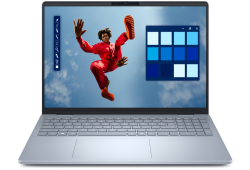
- Product Code: 5200006307080715
- Rank: 0
- Resolution:: 2560x1600
- Hard disk type:: SSD
- Video card:: Intel
- OS:: Windows
- USB Type-C port:: Yes
- Processor:: Intel Core Ultra 7
- RAM:: 16GB
- Hard disk capacity:: 512GB
- Video Memory:: without its own memory
- Keyboard backlight:: Yes
- Touch display:: Yes
- Display:: 15.6 - 16.9 inch
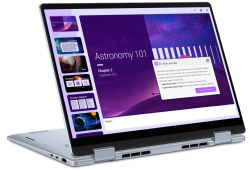
- Product Code: 5200006307084413
- Rank: 0
- Video Memory:: without its own memory
- Cyrillicization of the keyboard:: Yes
- Touch display:: Yes
- Display:: 15.6 - 16.9 inch
- Resolution:: 1920x1200
- Hard disk type:: SSD
- Video card:: Intel
- OS:: Without operating system
- Keyboard backlight:: Yes
- Processor:: Intel Core Ultra 7
- RAM:: 32GB
- Hard disk capacity:: 1000GB
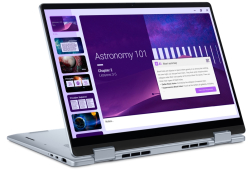
- Product Code: 5200006307084406
- Rank: 0
- Hard disk type:: SSD
- Video card:: Intel
- OS:: Windows
- USB Type-C port:: Yes
- Processor:: Intel Core Ultra 7
- RAM:: 16GB
- Hard disk capacity:: 1000GB
- Video Memory:: without its own memory
- Keyboard backlight:: Yes
- Touch display:: Yes
- Display:: 14 - 15.5 inch
- Resolution:: 1920x1200
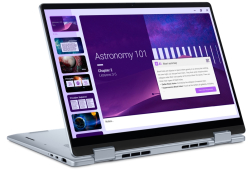
- Product Code: 5200006307084419
- Rank: 0
- Display:: 14 - 15.5 inch
- Resolution:: 1920x1200
- Hard disk type:: SSD
- Video card:: Intel
- USB Type-C port:: Yes
- Processor:: Intel Core Ultra 7
- RAM:: 16GB
- Hard disk capacity:: 512GB
- OS:: Windows
- Touch display:: Yes
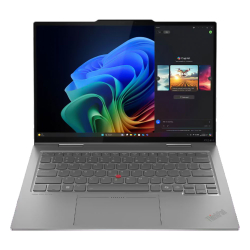
- Product Code: 2000198158075480
- Rank: 0
- RAM:: 32GB
- Hard disk capacity:: 1000GB
- Cyrillicization of the keyboard:: Yes
- USB Type-C port:: Yes
- OS:: Windows
- Display:: 14 - 15.5 inch
- Resolution:: 2880x1800
- Hard disk type:: SSD
- Video card:: Intel
- Keyboard backlight:: Yes
- Touch display:: Yes
- Processor:: Intel Core Ultra 7
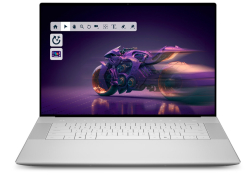
- Product Code: 5200006307210282
- Rank: 0
- Hard disk type:: SSD
- Video card:: NVIDIA
- OS:: Windows
- USB Type-C port:: Yes
- Processor:: Intel Core Ultra 9
- RAM:: 32GB
- Hard disk capacity:: 1000GB
- Video Memory:: 8GB
- Keyboard backlight:: Yes
- Touch display:: Yes
- Display:: 15.6 - 16.9 inch
- Resolution:: 3840x2400
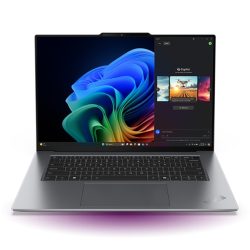
- Product Code: 2000199275096235
- Rank: 0
- Display:: 14 - 15.5 inch
- Resolution:: 2880x1800
- Hard disk type:: SSD
- Video card:: Intel
- Cyrillicization of the keyboard:: Yes
- Touch display:: Yes
- Processor:: Intel Core Ultra 9
- RAM:: 32GB
- Hard disk capacity:: 1000GB
- OS:: Windows
- Keyboard backlight:: Yes
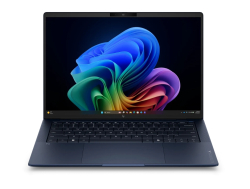
- Product Code: 5200006307282526
- Rank: 0
- USB Type-C port:: Yes
- Processor:: Intel Core Ultra 7
- RAM:: 32GB
- Hard disk capacity:: 1000GB
- Video Memory:: without its own memory
- Keyboard backlight:: Yes
- Touch display:: Yes
- Display:: 14 - 15.5 inch
- Resolution:: 2880x1800
- Hard disk type:: SSD
- Video card:: Intel
- OS:: Windows
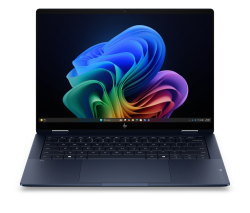
- Product Code: 5200006307282514
- Rank: 0
- RAM:: 32GB
- Hard disk capacity:: 1000GB
- Video Memory:: without its own memory
- Keyboard backlight:: Yes
- Touch display:: Yes
- Display:: 14 - 15.5 inch
- Resolution:: 1920x1200
- Hard disk type:: SSD
- Video card:: Intel
- OS:: Windows
- USB Type-C port:: Yes
- Processor:: Intel Core Ultra 7
Touchscreen laptops combine the mobility of a notebook with the interactivity of a tablet. They offer convenience, flexibility and a more natural control via touch or stylus. This category is suitable for both work and education, creativity and everyday tasks, offering a more dynamic user experience regardless of the place and situation.
What are touchscreen laptops?
Touchscreen laptops use technology that allows direct interaction with the screen using a finger or an active pen. Depending on the model, the display can respond to various gestures - touch, slide, pinch, draw or write. This makes control more intuitive, faster and more accurate compared to traditional input devices.
Many of the models are part of the “2-in-1“ or convertible laptops, where the display rotates 360°, and in some cases even detaches from the keyboard. This way, the device easily switches from a classic laptop to a tablet mode.
Advantages of laptops with a touch display
Intuitive control and higher productivity. The touch screen speeds up the workflow and facilitates multitasking. The user can navigate between applications, edit documents or use graphic tools directly on the display. This is especially useful for activities such as visualization, photo editing, working with PDF files or taking quick notes.
Flexibility for different scenarios. The touch screen functionality makes the models universal for both work and entertainment. In tablet mode, the laptop is convenient for watching movies, reading, online learning or presentations. Folding the screen allows use in different positions – for example, standing, tent, tablet or classic laptop.
Suitable for education and creativity. Laptops with a touch display are highly preferred by students, students and teachers. The ability to write by hand on the screen with a stylus makes the learning process more interactive and closer to traditional notes. Creative users – illustrators, designers or 3D artists – benefit from the precision of writing, drawing and sketching.
How to choose a suitable touchscreen laptop?
Performance
The processor and RAM determine the capabilities of the device.
- For basic tasks (office work, browsing, streaming) models with Intel Core i3 / AMD Ryzen 3 and 8 GB RAM are suitable.
- For professional use, creative software and multitasking, it is recommended to choose Intel Core i5/i7 or Ryzen 5/7 with 16 GB RAM or more.
Display quality
The screen is a key factor when choosing a touchscreen laptop. Look for:
- Full HD (1920x1080) resolution or higher;
- IPS panel for better colors and wide viewing angles;
- active stylus support if you plan on drawing or handwritten notes.
Models with 4K displays offer exceptional detail, favored by photographers and videographers.
Battery life
Good battery life is important for working on the go. The average duration for quality models varies between 8 and 12 hours, depending on the operating mode and screen brightness.
Ports and connectivity
Pay attention to the available interfaces:
- USB-C / Thunderbolt for fast charging and high transfer speed;
- HDMI for connecting to an external monitor;
- microSD slot for memory expansion;
- Wi-Fi 6 and Bluetooth 5.0 for stable wireless communication.
Size and weight
Depending on the method of use, you can choose:
- compact 11-13-inch models for mobility;
- 14-15.6-inch laptops for a balance between convenience and productivity.
Popular brands and solutions
In this category, devices from leading manufacturers that offer reliability, quality and long battery life are most often found. Among them are:
- HP;
- Dell;
- Lenovo;
- ASUS;
- Microsoft Surface.
Their models combine innovative touchscreen technologies with a good hardware balance and durable construction, making them an excellent choice for both professionals and everyday use.
Advantages of choosing a laptop with a touchscreen display online
Online stores allow easy comparison of technical specifications, filtering by parameters and viewing real user reviews. This facilitates the selection process and ensures better orientation between different models.
When ordering online, you can quickly find laptops in different price categories, compare
FAQ for Laptops
How do I choose the right laptop for my needs?
Choosing a laptop depends on your needs and budget. If you are looking for a laptop for office work, pay attention to the processor and RAM. For gaming, look for a model with a powerful graphics card and a good screen. At OK Office, we offer a variety of models that can meet different requirements.
How do I keep my laptop in good condition?
To keep your laptop in good condition, regularly clean it of dust and dirt, update the software, and use an antivirus program. Avoid overheating by not blocking the ventilation holes and using a cooling pad if necessary.
What is the difference between different types of laptops, such as ultrabooks and gaming laptops?
Ultrabooks are light and thin laptops, ideal for mobility and everyday tasks, while gaming laptops are larger, with powerful graphics cards and processors, designed for heavy gaming and multimedia applications. At OK Office, we offer a wide range of models to meet different preferences.
What should I do if my laptop won't turn on?
If your laptop won't turn on, first check that the battery is charged and that the adapter is plugged in properly. If the problem persists, you can try removing the battery and pressing the power button for 30 seconds, then reinserting it.