


- Promotions
ACER Laptops
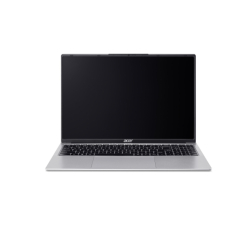
- Product Code: 2004711474937117
- Rank: 0
- Processor:: Intel Core i7
- RAM:: 16GB
- Hard disk capacity:: 512GB
- Video Memory:: without its own memory
- USB Type-C port:: Yes
- Display:: 15.6 - 16.9 inch
- Resolution:: 1920x1200
- Hard disk type:: SSD
- Video card:: Intel
- OS:: Without operating system
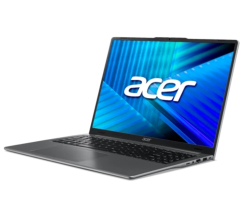
- Product Code: 2004711721075029
- Rank: 0
- Resolution:: 1920x1200
- Hard disk type:: SSD
- Video card:: Intel
- USB Type-C port:: Yes
- Processor:: Intel Core Ultra 5
- RAM:: 16GB
- Hard disk capacity:: 512GB
- Cyrillicization of the keyboard:: Yes
- Display:: 15.6 - 16.9 inch
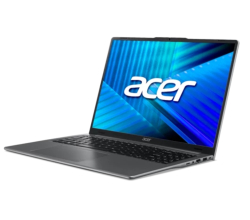
- Product Code: 5200006307328045
- Rank: 0
- Cyrillicization of the keyboard:: Yes
- Processor:: Intel Core Ultra 5
- RAM:: 16GB
- Hard disk capacity:: 512GB
- OS:: Without operating system
- USB Type-C port:: Yes
- Display:: 15.6 - 16.9 inch
- Resolution:: 1920x1200
- Hard disk type:: SSD
- Video card:: Intel
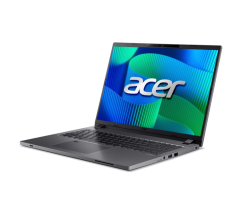
- Product Code: 5200006307328056
- Rank: 0
- Hard disk type:: SSD
- Video card:: Intel
- Cyrillicization of the keyboard:: Yes
- USB Type-C port:: Yes
- Processor:: Intel Core i5
- RAM:: 16GB
- Hard disk capacity:: 512GB
- OS:: Without operating system
- Keyboard backlight:: Yes
- Display:: 15.6 - 16.9 inch
- Resolution:: 1920x1200
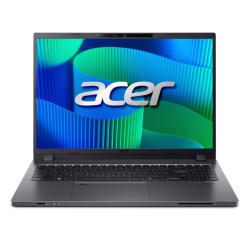
- Product Code: 2004711474377708
- Rank: 0
- Hard disk type:: SSD
- Video card:: Intel
- Keyboard backlight:: Yes
- OS:: Windows
- Processor:: Intel Core i5
- RAM:: 16GB
- Hard disk capacity:: 512GB
- Cyrillicization of the keyboard:: Yes
- USB Type-C port:: Yes
- Display:: 15.6 - 16.9 inch
- Resolution:: 1920x1200
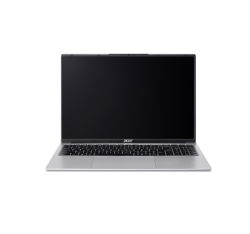
- Product Code: 2004711474866158
- Rank: 0
- Resolution:: 1920x1200
- Hard disk type:: SSD
- Video card:: Intel
- OS:: Without operating system
- Processor:: Intel Core i5
- RAM:: 16GB
- Hard disk capacity:: 512GB
- Video Memory:: without its own memory
- USB Type-C port:: Yes
- Display:: 15.6 - 16.9 inch
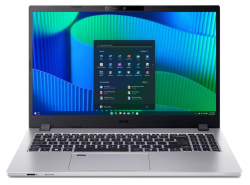
- Product Code: 2004711721033418
- Rank: 0
- RAM:: 16GB
- Hard disk capacity:: 512GB
- Video Memory:: without its own memory
- Cyrillicization of the keyboard:: Yes
- Display:: 15.6 - 16.9 inch
- Resolution:: 1920x1080
- Hard disk type:: SSD
- Video card:: Intel
- OS:: Windows
- Keyboard backlight:: Yes
- Processor:: Intel Core i5
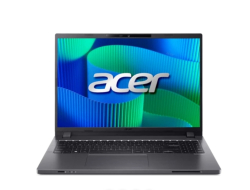
- Product Code: 2004711721131244
- Rank: 0
- Resolution:: 1920x1200
- Hard disk type:: SSD
- Video card:: Intel
- OS:: Windows
- USB Type-C port:: Yes
- Processor:: Intel Core i5
- RAM:: 16GB
- Hard disk capacity:: 512GB
- Video Memory:: without its own memory
- Cyrillicization of the keyboard:: Yes
- Display:: 15.6 - 16.9 inch
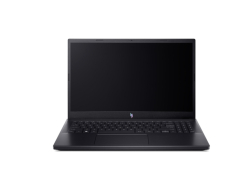
- Product Code: 2004711474599650
- Rank: 0
- Processor:: Intel Core i7
- RAM:: 16GB
- Hard disk capacity:: 512GB
- Video Memory:: 6GB
- Keyboard backlight:: Yes
- Display:: 15.6 - 16.9 inch
- Resolution:: 1920x1080
- Hard disk type:: SSD
- Video card:: NVIDIA
- OS:: Without operating system
- USB Type-C port:: Yes
- Product Code: 2004711474880345
- Rank: 0
- USB Type-C port:: Yes
- Processor:: Intel Core i7
- RAM:: 16GB
- Hard disk capacity:: 512GB
- Video Memory:: 8GB
- Keyboard backlight:: Yes
- Display:: 15.6 - 16.9 inch
- Resolution:: 1920x1080
- Hard disk type:: SSD
- Video card:: NVIDIA
- OS:: Without operating system
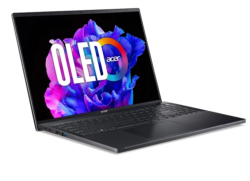
- Product Code: 2004711474592118
- Rank: 0
- Processor:: Intel Core i7
- RAM:: 16GB
- Hard disk capacity:: 1000GB
- Video Memory:: without its own memory
- Keyboard backlight:: Yes
- Display:: 15.6 - 16.9 inch
- Resolution:: 3200x2000
- Hard disk type:: SSD
- Video card:: Intel
- OS:: Windows
- USB Type-C port:: Yes
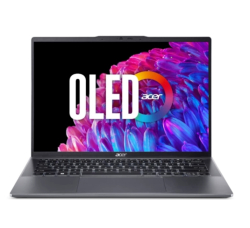
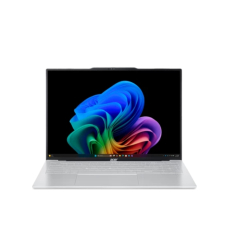
- Product Code: 2004711121973802
- Rank: 0
- Hard disk capacity:: 512GB
- Video Memory:: without its own memory
- Keyboard backlight:: Yes
- Display:: 14 - 15.5 inch
- Resolution:: 2880x1800
- Hard disk type:: SSD
- Video card:: AMD
- OS:: Windows
- USB Type-C port:: Yes
- Processor:: AMD Ryzen 7
- RAM:: 16GB
- Product Code: 2004711721004234
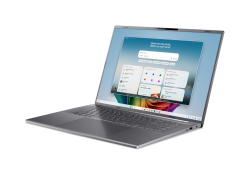
- Rank: 0
- Cyrillicization of the keyboard:: Yes
- USB Type-C port:: Yes
- Display:: 15.6 - 16.9 inch
- Resolution:: 1920x1200
- Hard disk type:: SSD
- Video card:: AMD
- OS:: Windows
- Keyboard backlight:: Yes
- Processor:: AMD Ryzen 7
- RAM:: 16GB
- Hard disk capacity:: 1000GB
- Video Memory:: without its own memory
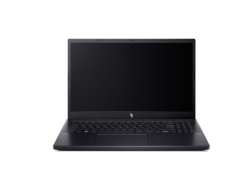
- Product Code: 2004711721063743
- Rank: 0
- USB Type-C port:: Yes
- Processor:: Intel Core Ultra 7
- RAM:: 16GB
- Hard disk capacity:: 512GB
- OS:: Windows
- Display:: Over 17 inches
- Resolution:: 1920x1200
- Hard disk type:: SSD
- Video card:: Intel
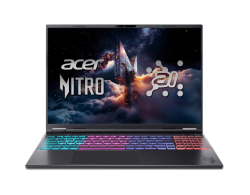
- Product Code: 2004711474857675
- Rank: 0
- Processor:: Intel Core i9
- RAM:: 16GB
- Hard disk capacity:: 1000GB
- Video Memory:: 8GB
- Keyboard backlight:: Yes
- Display:: 15.6 - 16.9 inch
- Resolution:: 1920x1080
- Hard disk type:: SSD
- Video card:: NVIDIA
- OS:: Without operating system
- USB Type-C port:: Yes
- Product Code: 2004711474581440
- Rank: 0
- Display:: 15.6 - 16.9 inch
- Resolution:: 2560x1600
- Hard disk type:: SSD
- Video card:: NVIDIA
- OS:: Without operating system
- USB Type-C port:: Yes
- Processor:: AMD Ryzen AI 7
- RAM:: 16GB
- Hard disk capacity:: 1000GB
- Video Memory:: 8GB
- Keyboard backlight:: Yes
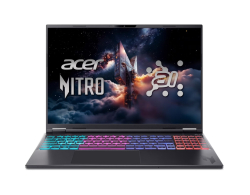
- Product Code: 5200006307306332
- Rank: 0
- Video Memory:: 8GB
- Keyboard backlight:: Yes
- Display:: 15.6 - 16.9 inch
- Resolution:: 2560x1600
- Hard disk type:: SSD
- Video card:: NVIDIA
- OS:: Without operating system
- USB Type-C port:: Yes
- Processor:: AMD Ryzen 7
- RAM:: 16GB
- Hard disk capacity:: 1000GB
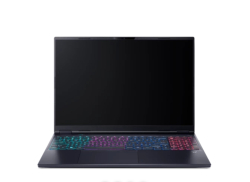
- Product Code: 2004711474875662
- Rank: 0
- Resolution:: 2560x1600
- Hard disk type:: SSD
- Video card:: NVIDIA
- OS:: Without operating system
- USB Type-C port:: Yes
- Processor:: Intel Core Ultra 7
- RAM:: 16GB
- Hard disk capacity:: 1000GB
- Video Memory:: 8GB
- Keyboard backlight:: Yes
- Display:: 15.6 - 16.9 inch
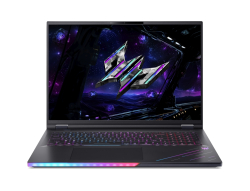
- Product Code: 2004711721004241
- Rank: 0
- Display:: Over 17 inches
- Resolution:: 2560x1600
- Hard disk type:: SSD
- Video card:: NVIDIA
- OS:: Windows
- Keyboard backlight:: Yes
- Processor:: Intel Core Ultra 9
- RAM:: 64GB
- Hard disk capacity:: 2000GB
- Video Memory:: 16GB
- Cyrillicization of the keyboard:: Yes
- USB Type-C port:: Yes
ACER laptops are an excellent solution for users looking for reliability, high performance and modern design at an affordable price. At OK Office we offer carefully selected models suitable for both office work and education, as well as for professional tasks, graphic design, programming and gaming.
What ACER laptops will you find with us?
Here you will find a variety of models tailored to different needs and budgets – from compact and practical solutions for everyday use to high-performance machines for professionals and gamers.
The offered ACER laptops are distinguished by the following key features:
- SSD drives – provide fast system startup and lightning-fast application work;
- RAM from 8GB to 32GB – suitable for both standard tasks and heavy professional workloads;
- modern Intel and AMD processors – including Intel Celeron, Intel Core i9, Intel Core Ultra 9 and AMD Ryzen 7;
- high-quality displays with a resolution of up to 2560x1600 – for a clear and detailed picture;
- Intel and NVIDIA graphics cards with up to 12GB of video memory – ideal for graphic work, design and gaming;
- USB Type-C ports – for fast and convenient connectivity;
- keyboard backlight and Cyrillic – for comfortable work at any time.
This combination of features makes ACER laptops a universal choice for both home and business.
Who are ACER laptops suitable for?
ACER offers solutions for every type of user – from schoolchildren and students to IT specialists, designers and gamers. The wide selection of configurations makes it easy to find the right model according to specific requirements.
Here's how to navigate according to your needs:
- Daily work and education. Models from the Acer Aspire and Acer TravelMate series, equipped with Intel Celeron and 8GB RAM, are an excellent choice for the Internet, office applications, online learning and multimedia. They offer reliable performance, energy efficiency and convenience for long-term daily use.
- Business and professional use. The Acer TravelMate and Acer Aspire series (in higher-end configurations) offer powerful solutions with Intel Core Ultra 9, Intel Core i9 or AMD Ryzen 7 and 16GB or 32GB RAM. They provide fast and stable work with multiple applications, business software, data analysis and virtual environments, making them an excellent choice for professionals and corporate environments.
- Graphic design, video editing and gaming. The Acer Nitro and Acer Predator series are designed for high performance. Laptops with NVIDIA graphics cards and up to 12GB of video memory, combined with high-quality, high-resolution displays, provide the necessary power and visual precision for graphic design, video editing, 3D modeling and modern gaming.
- Mobility and work on the go. Compact models with a small display and lightweight design are ideal for people who travel frequently and need a reliable device everywhere.
View all ACER laptops at OK Office, compare their features and choose the device that will provide maximum productivity, comfort and reliability from day one.
FAQ for Laptops
What are the main features of Acer laptops?
Acer laptops are known for their good value for money, offering powerful processors, long battery life, and quality displays. They are suitable for everyday tasks, as well as for gaming and professional work, depending on the model.
How to choose the right Acer laptop for your needs?
When choosing an Acer laptop, it's important to consider your needs - whether you need it for gaming, office work or studying. Take a look at the specifications of the different models, such as the processor, RAM and graphics card, to find the best one for you.
What are the advantages of Acer laptops over other brands?
Acer laptops offer a good price-performance ratio, as well as a wide range of models to cover different needs and budgets. They are durable and offer innovative features, making them a preferred choice for many users.
What should I do if my Acer laptop won't start?
If your Acer laptop won't start, check that the battery is charged and the power adapter is properly plugged in. If the problem persists, try performing a hardware reset or contact our service team for assistance.
How do I keep my Acer laptop in good condition?
To keep your Acer laptop in good condition, regularly clean it from dust and dirt, update the operating system and software, and avoid overheating by ensuring good ventilation. Also, use antivirus software for protection.