


Laptops
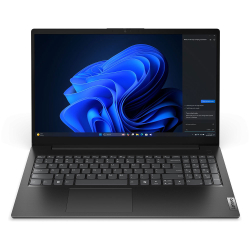
- Product Code: 51410
- Rank: 0
- Processor:: Intel Core i3
- RAM::
- Hard disk capacity:: 512GB
- Video Memory:: without its own memory
- Cyrillicization of the keyboard:: Yes
- Display:: 15.6 - 16.9 inch
- Resolution:: 1920x1080
- Hard disk type:: SSD
- Video card:: Intel
- OS:: Without operating system
- USB Type-C port:: Yes
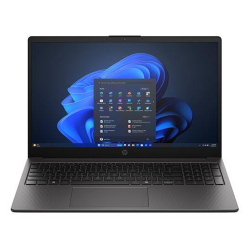
- Product Code: 53509
- Rank: 0
- Video Memory:: without its own memory
- Cyrillicization of the keyboard:: Yes
- Display:: 15.6 - 16.9 inch
- Resolution:: 1920x1080
- Hard disk type:: SSD
- Video card:: AMD
- OS:: Without operating system
- USB Type-C port:: Yes
- Processor:: AMD Ryzen 3
- RAM:: 16GB
- Hard disk capacity:: 512GB
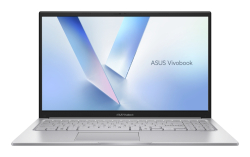
- Product Code: 2004711636635257
- Rank: 0
- Processor:: Intel Core 3
- RAM:: 8GB
- Hard disk capacity:: 256GB
- OS:: Without operating system
- USB Type-C port:: Yes
- Display:: 15.6 - 16.9 inch
- Resolution:: 1920x1080
- Hard disk type:: SSD
- Video card:: Intel
- Cyrillicization of the keyboard:: Yes
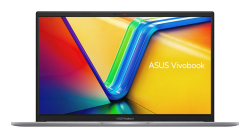
- Product Code: 2004711636694025
- Rank: 0
- Hard disk type:: SSD
- Video card:: Intel
- Processor:: Intel Core i3
- Display:: 15.6 - 16.9 inch
- RAM:: 8GB
- Hard disk capacity:: 256GB
- USB Type-C port:: Yes
- Resolution:: 1920x1080
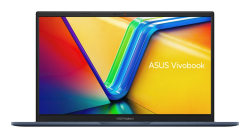
- Product Code: 2004711636715102
- Rank: 0
- Processor:: Intel Core i3
- RAM:: 8GB
- Hard disk capacity:: 256GB
- USB Type-C port:: Yes
- Display:: 15.6 - 16.9 inch
- Resolution:: 1920x1080
- Hard disk type:: SSD
- Video card:: Intel
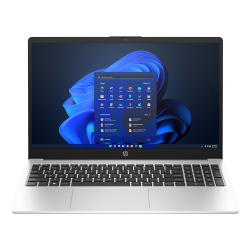
- Product Code: 53863
- Rank: 0
- Processor::
- RAM:: 16GB
- Hard disk capacity:: 512GB
- OS:: Without operating system
- Display:: 15.6 - 16.9 inch
- Resolution:: 1920x1080
- Hard disk type:: SSD
- Video card:: Intel
- USB Type-C port:: Yes
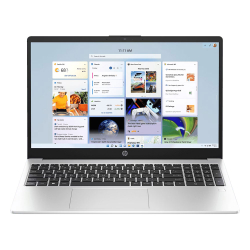
- Product Code: 47834
- Rank: 0
- Display:: 15.6 - 16.9 inch
- Resolution:: 1920x1080
- Hard disk type:: SSD
- Video card:: AMD
- USB Type-C port:: Yes
- Processor:: AMD Ryzen 5
- RAM::
- Hard disk capacity:: 512GB
- OS:: Without operating system
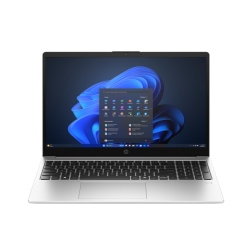
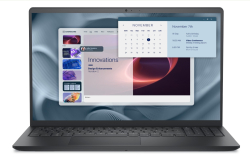
- Product Code: 5200006307144469
- Rank: 0
- Display:: 15.6 - 16.9 inch
- Resolution:: 1920x1080
- Hard disk type:: SSD
- Video card:: Intel
- OS:: Without operating system
- USB Type-C port:: Yes
- Processor:: Intel Core i3
- RAM:: 8GB
- Hard disk capacity:: 512GB
- Video Memory:: without its own memory
- Keyboard backlight:: Yes
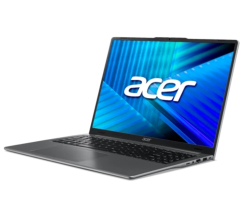
- Product Code: 5200006307301991
- Rank: 0
- Display:: 15.6 - 16.9 inch
- Resolution:: 1920x1080
- Hard disk type:: SSD
- Video card:: Intel
- Cyrillicization of the keyboard:: Yes
- Processor:: Intel Core 3
- RAM:: 8GB
- Hard disk capacity:: 512GB
- Video Memory:: without its own memory
- USB Type-C port:: Yes
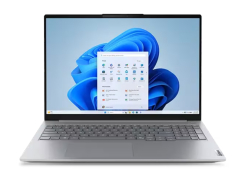
- Product Code: 2004711721075029
- Rank: 0
- Processor:: Intel Core Ultra 5
- RAM:: 16GB
- Hard disk capacity:: 512GB
- Cyrillicization of the keyboard:: Yes
- Display:: 15.6 - 16.9 inch
- Resolution:: 1920x1200
- Hard disk type:: SSD
- Video card:: Intel
- USB Type-C port:: Yes
- Product Code: 5200006307279556
- Rank: 0
- Resolution:: 1920x1200
- Hard disk type:: SSD
- Video card:: Intel
- USB Type-C port:: Yes
- Processor:: Intel Core i3
- RAM:: 8GB
- Hard disk capacity:: 256GB
- Cyrillicization of the keyboard:: Yes
- Display:: 15.6 - 16.9 inch
- Product Code: 2004711474866158
- Rank: 0
- Hard disk type:: SSD
- Video card:: Intel
- OS:: Without operating system
- Processor:: Intel Core i5
- RAM:: 16GB
- Hard disk capacity:: 512GB
- Video Memory:: without its own memory
- USB Type-C port:: Yes
- Display:: 15.6 - 16.9 inch
- Resolution:: 1920x1200
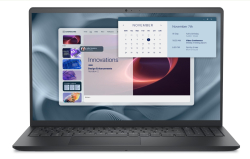
- Product Code: 5200006307269105
- Rank: 0
- Display:: 15.6 - 16.9 inch
- Resolution:: 1920x1080
- Hard disk type:: SSD
- Video card:: Intel
- USB Type-C port:: Yes
- Processor:: Intel Core i5
- RAM:: 8GB
- Hard disk capacity:: 512GB
- Cyrillicization of the keyboard:: Yes
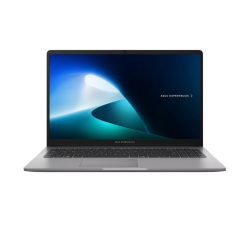
- Product Code: 5200006307314411
- Rank: 0
- Hard disk capacity:: 512GB
- Video Memory:: without its own memory
- Cyrillicization of the keyboard:: Yes
- USB Type-C port:: Yes
- Display:: 15.6 - 16.9 inch
- Resolution:: 1920x1080
- Hard disk type:: SSD
- Video card:: Intel
- OS:: Windows
- Keyboard backlight:: Yes
- Processor:: Intel Core i3
- RAM:: 16GB
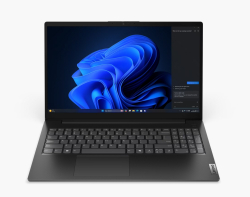
- Product Code: 5200006307265236
- Rank: 0
- Cyrillicization of the keyboard:: Yes
- Display:: 15.6 - 16.9 inch
- Resolution:: 1920x1080
- Hard disk type:: SSD
- Video card:: Intel
- USB Type-C port:: Yes
- Processor:: Intel Core i3
- RAM:: 16GB
- Hard disk capacity:: 512GB
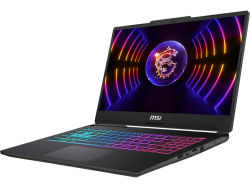
- Product Code: 2004711377426794
- Rank: 0
- Resolution:: 1920x1080
- Hard disk type:: SSD
- Video card:: NVIDIA
- OS:: Without operating system
- Keyboard backlight:: Yes
- Processor:: Intel Core i5
- RAM:: 16GB
- Hard disk capacity:: 512GB
- Video Memory:: 4GB
- Cyrillicization of the keyboard:: Yes
- USB Type-C port:: Yes
- Display:: 15.6 - 16.9 inch
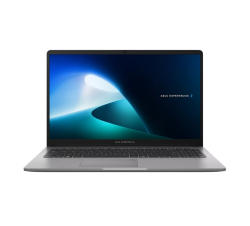
- Product Code: 5200006307314417
- Rank: 0
- Processor:: Intel Core i5
- RAM:: 16GB
- Hard disk capacity:: 512GB
- Cyrillicization of the keyboard:: Yes
- USB Type-C port:: Yes
- Display:: 15.6 - 16.9 inch
- Resolution:: 1920x1080
- Hard disk type:: SSD
- OS:: Without operating system
- Keyboard backlight:: Yes
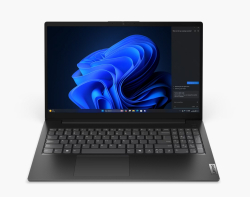
- Product Code: 5200006307265242
- Rank: 0
- Display:: 15.6 - 16.9 inch
- Resolution:: 1920x1080
- Hard disk type:: SSD
- Video card:: Intel
- USB Type-C port:: Yes
- Processor:: Intel Core i5
- RAM:: 16GB
- Hard disk capacity:: 512GB
- Cyrillicization of the keyboard:: Yes
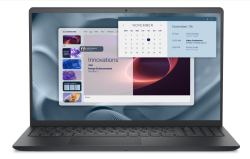
- Product Code: 5200006307269099
- Rank: 0
- Display:: 15.6 - 16.9 inch
- Resolution:: 1920x1080
- Hard disk type:: SSD
- Video card:: Intel
- USB Type-C port:: Yes
- Processor:: Intel Core i5
- RAM:: 16GB
- Hard disk capacity:: 512GB
- Cyrillicization of the keyboard:: Yes
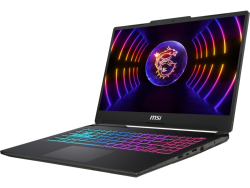
- Product Code: 2004711377426787
- Rank: 0
- Processor:: Intel Core i7
- RAM:: 16GB
- Hard disk capacity:: 512GB
- Video Memory:: 4GB
- Cyrillicization of the keyboard:: Yes
- USB Type-C port:: Yes
- Display:: 15.6 - 16.9 inch
- Resolution:: 1920x1080
- Hard disk type:: SSD
- Video card:: NVIDIA
- OS:: Without operating system
- Keyboard backlight:: Yes
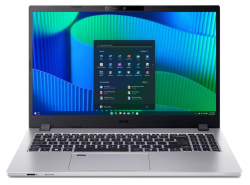
- Product Code: 2004711721033418
- Rank: 0
- Video Memory:: without its own memory
- Cyrillicization of the keyboard:: Yes
- Display:: 15.6 - 16.9 inch
- Resolution:: 1920x1080
- Hard disk type:: SSD
- Video card:: Intel
- OS:: Windows
- Keyboard backlight:: Yes
- Processor:: Intel Core i5
- RAM:: 16GB
- Hard disk capacity:: 512GB
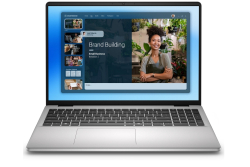
- Product Code: 2005397184111116
- Rank: 0
- Display:: 15.6 - 16.9 inch
- Resolution:: 1920x1200
- Hard disk type:: SSD
- Video card:: Intel
- Processor:: Intel Core i5
- RAM:: 16GB
- Hard disk capacity:: 512GB
- Keyboard backlight:: Yes
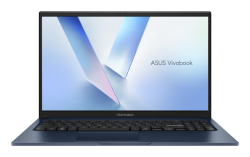
- Product Code: 2004711636651097
- Rank: 0
- Resolution:: 1920x1080
- Hard disk type:: SSD
- Video card:: Intel
- Processor:: Intel Core i5
- RAM:: 16GB
- Hard disk capacity:: 512GB
- USB Type-C port:: Yes
- Display:: 15.6 - 16.9 inch
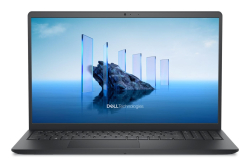
- Product Code: 5200006307197113
- Rank: 0
- Resolution:: 1920x1080
- Hard disk type:: SSD
- Video card:: Intel
- USB Type-C port:: Yes
- Processor:: Intel Core i7
- RAM:: 16GB
- Hard disk capacity:: 512GB
- Cyrillicization of the keyboard:: Yes
- Display:: 15.6 - 16.9 inch
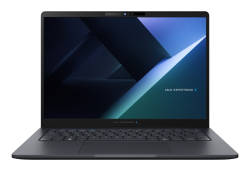
- Product Code: 2004711636402811
- Rank: 0
- Processor:: Intel Core Ultra 7
- RAM:: 16GB
- Hard disk capacity:: 512GB
- OS:: Windows
- USB Type-C port:: Yes
- Display:: 14 - 15.5 inch
- Resolution:: 1920x1200
- Hard disk type:: SSD
- Video card:: Intel
- Keyboard backlight:: Yes
- Video Memory:: without its own memory
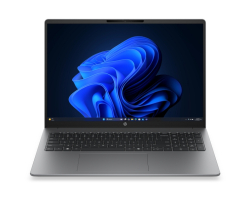
- Product Code: 5200006307307357
- Rank: 0
- Resolution:: 1920x1200
- Hard disk type:: SSD
- Video card:: Intel
- OS:: Without operating system
- Processor:: Intel Core 3
- RAM:: 12GB
- Hard disk capacity:: 512GB
- Video Memory:: without its own memory
- USB Type-C port:: Yes
- Display:: 15.6 - 16.9 inch
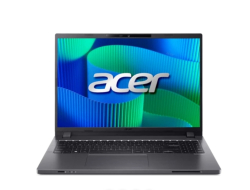
- Product Code: 2004711721131244
- Rank: 0
- USB Type-C port:: Yes
- Processor:: Intel Core i5
- RAM:: 16GB
- Hard disk capacity:: 512GB
- Video Memory:: without its own memory
- Cyrillicization of the keyboard:: Yes
- Display:: 15.6 - 16.9 inch
- Resolution:: 1920x1200
- Hard disk type:: SSD
- Video card:: Intel
- OS:: Windows
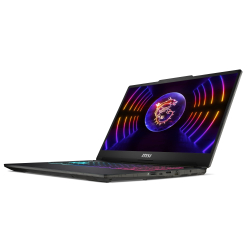
- Product Code: 5200006307262775
- Rank: 0
- Video Memory:: 6GB
- Cyrillicization of the keyboard:: Yes
- USB Type-C port:: Yes
- Display:: 15.6 - 16.9 inch
- Resolution:: 1920x1080
- Hard disk type:: SSD
- Video card:: NVIDIA
- OS:: Without operating system
- Keyboard backlight:: Yes
- Processor:: Intel Core i7
- RAM:: 16GB
- Hard disk capacity:: 512GB

- Product Code: 5200006307197218
- Rank: 0
- RAM:: 16GB
- Hard disk capacity:: 1000GB
- Cyrillicization of the keyboard:: Yes
- Display:: 15.6 - 16.9 inch
- Resolution:: 1920x1080
- Hard disk type:: SSD
- Video card:: Intel
- USB Type-C port:: Yes
- Processor:: Intel Core i5
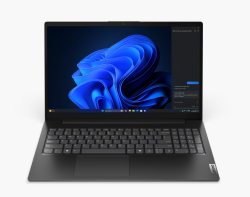
- Product Code: 5500007048268743
- Rank: 0
- Display:: 15.6 - 16.9 inch
- Resolution:: 1920x1080
- Hard disk type:: SSD
- Video card:: Intel
- Processor:: Intel Core 7
- RAM:: 16GB
- Hard disk capacity:: 1TB
- OS:: Without operating system
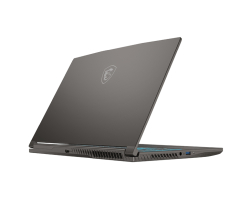
- Product Code: 2004711377350594
- Rank: 0
- Display:: 15.6 - 16.9 inch
- Resolution:: 1920x1080
- Hard disk type:: SSD
- Video card:: NVIDIA
- OS:: Without operating system
- Keyboard backlight:: Yes
- Processor:: AMD Ryzen 7
- RAM:: 16GB
- Hard disk capacity:: 512GB
- Video Memory:: 6GB
- Cyrillicization of the keyboard:: Yes
- USB Type-C port:: Yes

- Product Code: 2004711636575140
- Rank: 0
- Video Memory:: without its own memory
- Cyrillicization of the keyboard:: Yes
- Display:: 15.6 - 16.9 inch
- Resolution:: 1920x1080
- Hard disk type:: SSD
- Video card:: Intel
- OS:: Without operating system
- USB Type-C port:: Yes
- Processor:: Intel Core i7
- RAM:: 16GB
- Hard disk capacity:: 512GB
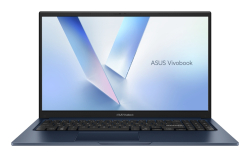
- Product Code: 2004711636575188
- Rank: 0
- Video card:: Intel
- Processor:: Intel Core i7
- RAM:: 16GB
- Hard disk capacity:: 512GB
- USB Type-C port:: Yes
- Display:: 15.6 - 16.9 inch
- Resolution:: 1920x1080
- Hard disk type:: SSD
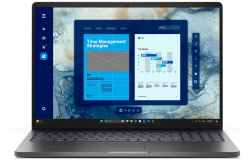
- Product Code: 5200006307089241
- Rank: 0
- Processor:: Intel Core i5
- RAM:: 8GB
- Hard disk capacity:: 512GB
- Video Memory:: without its own memory
- Keyboard backlight:: Yes
- Display:: 15.6 - 16.9 inch
- Resolution:: 1920x1200
- Hard disk type:: SSD
- Video card:: Intel
- OS:: Windows
- USB Type-C port:: Yes
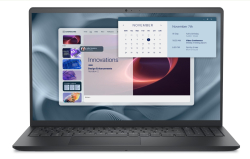
- Product Code: 5200006307269117
- Rank: 0
- Display:: 15.6 - 16.9 inch
- Resolution:: 1920x1080
- Hard disk type:: SSD
- Video card:: Intel
- Cyrillicization of the keyboard:: Yes
- Processor:: Intel Core i7
- RAM:: 16GB
- Hard disk capacity:: 1000GB
- USB Type-C port:: Yes
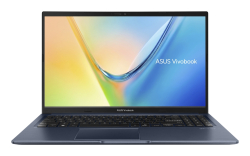
- Product Code: 2004711636627733
- Rank: 0
- Display:: 15.6 - 16.9 inch
- Resolution:: 1920x1080
- Hard disk type:: SSD
- Video card:: AMD
- USB Type-C port:: Yes
- Processor:: AMD Ryzen 9
- RAM:: 8GB
- Hard disk capacity:: 512GB
- Cyrillicization of the keyboard:: Yes
Laptops nowadays are widely used for all kinds of activities because they provide the possibility of mobile use anytime and anywhere - in the office, in business environments and at special events, in schools.
We at Ok Office online store realize how important laptops are to the modern digital world and for this reason we provide a variety of brands and models that differ in many specifics. You have the opportunity to look at our offers and choose your new laptop among them, which you can buy at affordable and favorable prices. You can take advantage of our available promotions and sale models.
What are the important parameters on which to make your choice for a laptop?
Laptops are the future of technology and are on par with desktops. There are many options, among which you can find the optimal one for you. The features and parameters that influence the decision and which experts advise you to take into account are:
- brand - if you are a fan of a certain manufacturer or have an eye on the offers it provides, you can bet on the available laptop options, because the brand has something to do with the quality of the device;
- size – depending on the size, you will find both small and large models, whose screen diagonals start from 12 inches and reach over 17. For medium and optimal sizes, 15 inch diagonals are accepted;
- processor - undoubtedly the answer to the question whether a laptop is powerful or not lies in the specifics of the processor and its performance;
- memory capacity - determined according to the purposes of use. If you are looking for a model for gaming and programming, it is appropriate to go for a high capacity;
- video card - for almost all purposes of use, especially in graphic design and gaming, the type and parameters of the video card affect the quality of experience.

What types of laptops will you find with us?
In our Ok Office online store, you will find the latest offers of world-famous brands, including Lenovo, Asus, Acer, HP, Toshiba, MSI, Prestigio.
Each of the models has different specifications to provide you with good quality of performance of tasks, excellent performance, speed and versatility.
Take a look at our optimized search engine, where you will be able to set exact criteria regarding:
- display size – from 12 to 17.3 inches;
- resolution - in the range from 1920x1080 to 3840x2400 p;
- type of hard disk and its capacity – SSD up to 2 TB;
- video card type – Intel or Nvidia;
- RAM – 8 or 16 GB;
- processor – AMD Ryzen and Intel Core.
FAQ for Laptops
How do I choose the right laptop for my needs?
Choosing a laptop depends on your needs and budget. If you are looking for a laptop for office work, pay attention to the processor and RAM. For gaming, look for a model with a powerful graphics card and a good screen. At OK Office, we offer a variety of models that can meet different requirements.
How do I keep my laptop in good condition?
To keep your laptop in good condition, regularly clean it of dust and dirt, update the software, and use an antivirus program. Avoid overheating by not blocking the ventilation holes and using a cooling pad if necessary.
What is the difference between different types of laptops, such as ultrabooks and gaming laptops?
Ultrabooks are light and thin laptops, ideal for mobility and everyday tasks, while gaming laptops are larger, with powerful graphics cards and processors, designed for heavy gaming and multimedia applications. At OK Office, we offer a wide range of models to meet different preferences.
What should I do if my laptop won't turn on?
If your laptop won't turn on, first check that the battery is charged and that the adapter is plugged in properly. If the problem persists, you can try removing the battery and pressing the power button for 30 seconds, then reinserting it.