


- Promotions
HP Laptops
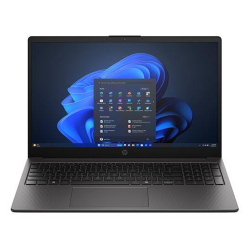
- Product Code: 53509
- Rank: 1
- Processor:: AMD Ryzen 3
- RAM:: 16GB
- Hard disk capacity:: 512GB
- Video Memory:: without its own memory
- Cyrillicization of the keyboard:: Yes
- Display:: 15.6 - 16.9 inch
- Resolution:: 1920x1080
- Hard disk type:: SSD
- Video card:: AMD
- OS:: Without operating system
- USB Type-C port:: Yes
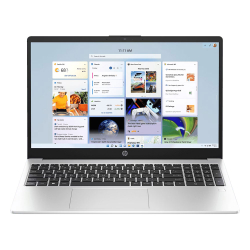
- Product Code: 47834
- Rank: 1
- Display:: 15.6 - 16.9 inch
- Resolution:: 1920x1080
- Hard disk type:: SSD
- Video card:: AMD
- USB Type-C port:: Yes
- Processor:: AMD Ryzen 5
- RAM::
- Hard disk capacity:: 512GB
- OS:: Without operating system
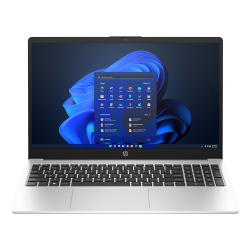
- Product Code: 53863
- Rank: 1
- Processor::
- RAM:: 16GB
- Hard disk capacity:: 512GB
- OS:: Without operating system
- Display:: 15.6 - 16.9 inch
- Resolution:: 1920x1080
- Hard disk type:: SSD
- Video card:: Intel
- USB Type-C port:: Yes
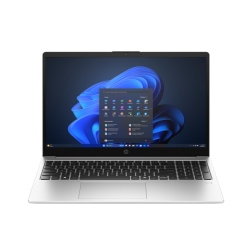
- Product Code: 5200006307144469
- Rank: 0
- Video card:: Intel
- OS:: Without operating system
- USB Type-C port:: Yes
- Processor:: Intel Core i3
- RAM:: 8GB
- Hard disk capacity:: 512GB
- Video Memory:: without its own memory
- Keyboard backlight:: Yes
- Display:: 15.6 - 16.9 inch
- Resolution:: 1920x1080
- Hard disk type:: SSD
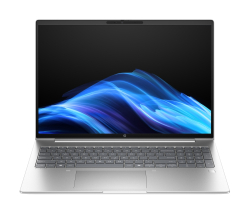
- Product Code: 5200006307168430
- Rank: 0
- USB Type-C port:: Yes
- Processor:: Intel Core i7
- RAM:: 16GB
- Hard disk capacity:: 512GB
- Video Memory:: without its own memory
- Keyboard backlight:: Yes
- Display:: 15.6 - 16.9 inch
- Resolution:: 1920x1200
- Hard disk type:: SSD
- Video card:: Intel
- OS:: Windows

- Product Code: 5200006307307390
- Rank: 0
- Display:: 15.6 - 16.9 inch
- Resolution:: 1920x1200
- Hard disk type:: SSD
- Video card:: Intel
- Processor:: Intel Core i5
- RAM:: 24GB
- Hard disk capacity:: 512GB
- USB Type-C port:: Yes
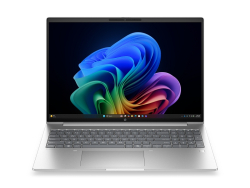
- Product Code: 5200006307307396
- Rank: 0
- Hard disk capacity:: 512GB
- USB Type-C port:: Yes
- Display:: 15.6 - 16.9 inch
- Resolution:: 1920x1200
- Hard disk type:: SSD
- Video card:: Intel
- Processor:: Intel Core i7
- RAM:: 24GB
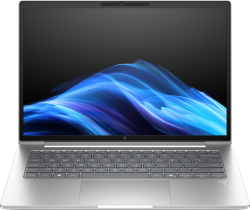
- Product Code: 5200006307144489
- Rank: 0
- Display:: 14 - 15.5 inch
- Resolution:: 1920x1200
- Hard disk type:: SSD
- Video card:: Intel
- OS:: Windows
- USB Type-C port:: Yes
- Processor:: Intel Core Ultra 7
- RAM:: 16GB
- Hard disk capacity:: 512GB
- Video Memory:: without its own memory
- Keyboard backlight:: Yes
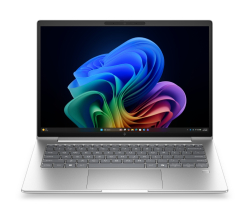
- Product Code: 5200006307307411
- Rank: 0
- Video card:: Intel
- OS:: Windows
- USB Type-C port:: Yes
- Processor:: Intel Core Ultra 7
- RAM:: 16GB
- Hard disk capacity:: 512GB
- Video Memory:: without its own memory
- Keyboard backlight:: Yes
- Display:: 14 - 15.5 inch
- Resolution:: 1920x1200
- Hard disk type:: SSD
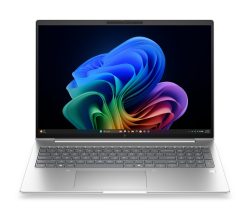
- Product Code: 5200006307307417
- Rank: 0
- USB Type-C port:: Yes
- Processor:: Intel Core Ultra 7
- RAM:: 16GB
- Hard disk capacity:: 512GB
- Video Memory:: without its own memory
- Keyboard backlight:: Yes
- Display:: 15.6 - 16.9 inch
- Resolution:: 1920x1200
- Hard disk type:: SSD
- Video card:: Intel
- OS:: Windows
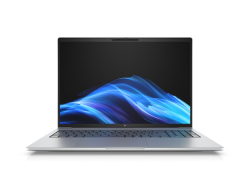
- Product Code: 5200006307144513
- Rank: 0
- Keyboard backlight:: Yes
- Display:: 15.6 - 16.9 inch
- Resolution:: 1920x1200
- Hard disk type:: SSD
- Video card:: NVIDIA
- OS:: Windows
- USB Type-C port:: Yes
- Processor:: Intel Core Ultra 7
- RAM:: 32GB
- Hard disk capacity:: 1000GB
- Video Memory:: without its own memory
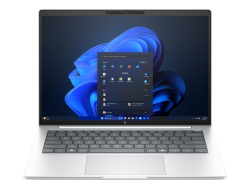
- Product Code: 5200006307144507
- Rank: 0
- Display:: 14 - 15.5 inch
- Resolution:: 1920x1200
- Hard disk type:: SSD
- Video card:: Intel
- OS:: Windows
- USB Type-C port:: Yes
- Processor:: Intel Core Ultra 7
- RAM:: 32GB
- Hard disk capacity:: 1000GB
- Video Memory:: without its own memory
- Keyboard backlight:: Yes
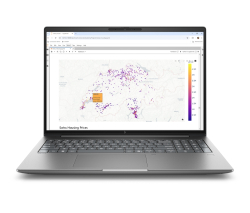
- Product Code: 5200006307282550
- Rank: 0
- Resolution:: 3840x2400
- Hard disk type:: SSD
- Video card:: NVIDIA
- OS:: Windows
- Processor:: Intel Core Ultra 7
- RAM:: 32GB
- Hard disk capacity:: 1000GB
- Video Memory:: 8GB
- USB Type-C port:: Yes
- Display:: 15.6 - 16.9 inch
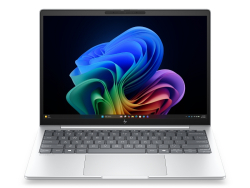
- Product Code: 5200006307307435
- Rank: 0
- Processor:: Intel Core Ultra 7
- RAM:: 32GB
- Hard disk capacity:: 1000GB
- OS:: Windows
- Display:: 12 - 13.9 inch
- Resolution:: 1920x1200
- Hard disk type:: SSD
- Video card:: Intel
- USB Type-C port:: Yes
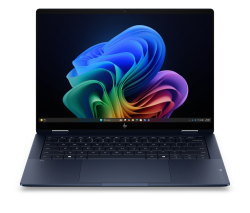
- Product Code: 5200006307282514
- Rank: 0
- USB Type-C port:: Yes
- Processor:: Intel Core Ultra 7
- RAM:: 32GB
- Hard disk capacity:: 1000GB
- Video Memory:: without its own memory
- Keyboard backlight:: Yes
- Touch display:: Yes
- Display:: 14 - 15.5 inch
- Resolution:: 1920x1200
- Hard disk type:: SSD
- Video card:: Intel
- OS:: Windows
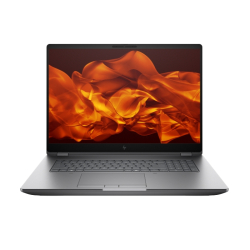
- Product Code: 5200006307168512
- Rank: 0
- Video card:: NVIDIA
- OS:: Windows
- USB Type-C port:: Yes
- Processor:: Intel Core Ultra 9
- RAM:: 64GB
- Hard disk capacity:: 2000GB
- Video Memory:: 12GB
- Keyboard backlight:: Yes
- Display:: Over 17 inches
- Resolution:: 2560x1600
- Hard disk type:: SSD
When you're looking for reliability, innovation, and professional quality in a portable computer, HP laptops are the choice of millions of users around the world. Hewlett-Packard creates devices that combine power, elegant design, and long-term durability — whether you work in an office, study from home, or travel frequently.
At OK Office you will find a wide range of HP laptops, arranged by series and models, to choose the most suitable solution for your needs and budget.
Why choose an HP laptop?
For decades, HP has been a symbol of quality and stability in the world of computer technology. The brand invests heavily in innovation, testing, and optimization to offer devices that work reliably in real-world conditions.
HP laptops are distinguished by a wide variety of configurations – from affordable models for everyday use to powerful workstations for graphic design, programming, video editing, or data analysis. Each HP laptop is characterized by an ergonomic keyboard, a quality display, a reliable cooling system and a battery with impressive autonomy. This makes them suitable for both home users and students, and for corporate environments where stability and security are key.
In our online catalog you will find a detailed description of each model, photos, technical specifications and the ability to compare prices to make an informed choice. Shopping from a store like OK Office guarantees original products, an official warranty and professional service.
Main HP laptop series
HP offers several leading product lines designed for different types of consumption:
- HP Pavilion – ideal for everyday tasks and multimedia. Pavilion models combine stylish design, stable performance and affordable prices. They are a great choice for students and users who need a reliable laptop for online learning, document work, streaming and entertainment. They feature Full HD or 4K displays, efficient Intel Core / AMD Ryzen processors and fast-loading SSDs.
- HP ProBook and HP EliteBook – for business and professionals. These series offer high reliability, enhanced security and durability. The cases are made of quality materials, and the models include features such as a fingerprint reader, TPM encryption, display privacy filters and an extended warranty. They are suitable for corporate environments, business trips and long-term professional use.
- HP Envy – premium design and performance. The Envy series is aimed at users who want a combination of lightness, style and power. The laptops feature high-quality displays, modern graphics cards and excellent audio systems, making them suitable for photographers, videographers, designers and anyone who appreciates mobile creativity.
All series offer different sub-models and configurations, allowing for a personalized choice according to your preferences.
How to choose the right HP laptop?
When choosing a new HP laptop, it is important to determine:
- Purpose of use
- For basic tasks (browsing, movies, documents) — a Pavilion model will be an excellent choice.
- For graphics, video editing or development — choose configurations with Intel Core i7/i9 or AMD Ryzen 7/9, at least 16 GB RAM and a discrete graphics card.
- Screen size and mobility
- 13–14" models — excellent for frequent travel and mobile work.
- 15.6" and 17" — better suited for stationary use, multitasking and working with multiple windows.
- Battery and durability
- The latest HP laptops offer between 6 and 15 hours of autonomy. If you work outside the office often, choose a model with a larger capacity and energy-saving components.
- Configuration and budget
- In the online store, you can easily filter by CPU, RAM, SSD, video card and price to find the most suitable option.
Advantages of shopping from OK Office
By purchasing an HP laptop from OK Office, you get:
- Competitive prices and regular promotions – frequently updated offers and special campaigns on different series.
- Convenient online platform – easy search, comparison and secure order completion.
- Fast delivery and flexible payment methods – payment upon delivery, by bank transfer or in installments.
- Warranty and professional support – All HP products come with an official warranty, and our team is available if you need advice or assistance.
A long-term investment in quality
Choosing an HP laptop is an investment in a device that will work reliably for years. HP relies on high-quality materialsial, energy-efficient components and strict manufacturing standards.
Whether you buy an inexpensive model for basic tasks or a premium configuration for professional work, you can count on reliability, good performance and a long service life.
Browse the full range of HP laptops at OK Office and choose the model that best suits your needs for work, mobility and style. Enjoy the convenience of online shopping, professional support and competitive prices.
FAQ for Laptops
How do I choose the right laptop for my needs?
Choosing a laptop depends on your needs and budget. If you are looking for a laptop for office work, pay attention to the processor and RAM. For gaming, look for a model with a powerful graphics card and a good screen. At OK Office, we offer a variety of models that can meet different requirements.
How do I keep my laptop in good condition?
To keep your laptop in good condition, regularly clean it of dust and dirt, update the software, and use an antivirus program. Avoid overheating by not blocking the ventilation holes and using a cooling pad if necessary.
What is the difference between different types of laptops, such as ultrabooks and gaming laptops?
Ultrabooks are light and thin laptops, ideal for mobility and everyday tasks, while gaming laptops are larger, with powerful graphics cards and processors, designed for heavy gaming and multimedia applications. At OK Office, we offer a wide range of models to meet different preferences.
What should I do if my laptop won't turn on?
If your laptop won't turn on, first check that the battery is charged and that the adapter is plugged in properly. If the problem persists, you can try removing the battery and pressing the power button for 30 seconds, then reinserting it.