


- Promotions
Monitors
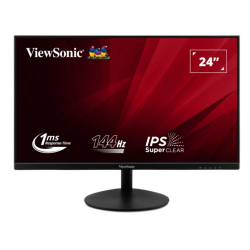
- Product Code: 52833
- Rank: 0
- Resolution:: 1920x1080
- HDMI:: Yes
- Matrix Type:: IPS
- Screen size:: 23.1 - 25 inch
- Brightness:: Up to 250 cd/m2
- VGA:: Yes
- Refresh rate:: 121 - 150 Hz
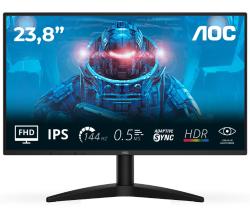
- Product Code: 2004038986143073
- Rank: 0
- HDMI:: Yes
- Matrix Type:: IPS
- Screen size:: 23.1 - 25 inch
- Brightness:: 251 - 300 cd/m2
- Display port:: Yes
- Refresh rate:: 121 - 150 Hz
- VESA size:: 100x100
- Resolution:: 1920x1080
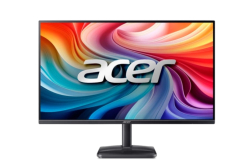
- Product Code: 2004711474809056
- Rank: 0
- Resolution:: 1920x1080
- HDMI:: Yes
- Matrix Type:: VA
- Screen size:: 25.1 - 27 inch
- Brightness:: Up to 250 cd/m2
- Display port:: Yes
- Refresh rate:: 121 - 150 Hz
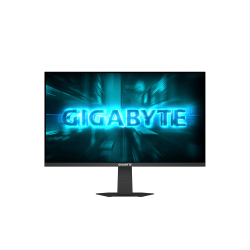
- Product Code: 2004719331877217
- Rank: 0
- Screen size:: 23.1 - 25 inch
- Brightness:: 251 - 300 cd/m2
- Display port:: Yes
- Height adjustment:: Yes
- VESA size:: 75x75
- Resolution:: 1920x1080
- HDMI:: Yes
- Refresh rate:: 121 - 150 Hz
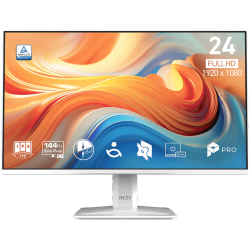
- Product Code: 2004711377346290
- Rank: 0
- Screen size:: 23.1 - 25 inch
- Brightness:: 251 - 300 cd/m2
- Display port:: Yes
- Refresh rate:: 121 - 150 Hz
- VESA size:: 100x100
- Resolution:: 1920x1080
- HDMI:: Yes
- Matrix Type:: IPS
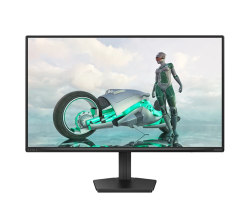
- Product Code: 2008721038004274
- Rank: 0
- Matrix Type:: IPS
- Screen size:: 25.1 - 27 inch
- Brightness:: 251 - 300 cd/m2
- Display port:: Yes
- Refresh rate:: 121 - 150 Hz
- VESA size:: 100x100
- Resolution:: 1920x1080
- HDMI:: Yes
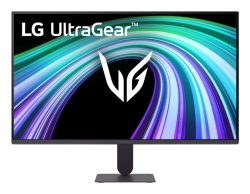
- Product Code: 2008806096851463
- Rank: 0
- Brightness:: Up to 250 cd/m2
- Display port:: Yes
- Refresh rate:: 121 - 150 Hz
- VESA size:: 100x100
- Resolution:: 1920x1080
- HDMI:: Yes
- Matrix Type:: IPS
- Screen size:: 23.1 - 25 inch
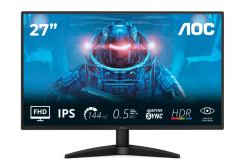
- Product Code: 2004038986183086
- Rank: 0
- Screen size:: 25.1 - 27 inch
- Brightness:: 251 - 300 cd/m2
- Display port:: Yes
- Refresh rate:: 121 - 150 Hz
- VESA size:: 100x100
- Resolution:: 1920x1080
- HDMI:: Yes
- Matrix Type:: IPS
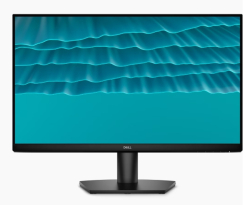
- Product Code: 2005397321028727
- Rank: 0
- Refresh rate:: 121 - 150 Hz
- Screen size:: 23.1 - 25 inch
- Brightness:: 251 - 300 cd/m2
- Matrix Type:: IPS
- VESA size:: 100x100
- Resolution:: 1920x1080
- HDMI:: Yes
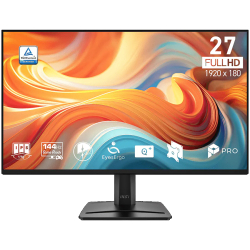
- Product Code: 2004711377379717
- Rank: 0
- VGA:: Yes
- Refresh rate:: 121 - 150 Hz
- VESA size:: 100x100
- Resolution:: 1920x1080
- HDMI:: Yes
- Matrix Type:: IPS
- Screen size:: 25.1 - 27 inch
- Brightness:: 251 - 300 cd/m2
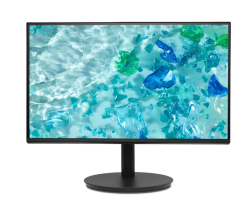
- Product Code: 2004711474736260
- Rank: 0
- VESA size:: 100x100
- Resolution:: 1920x1080
- HDMI:: Yes
- VGA:: Yes
- Refresh rate:: 121 - 150 Hz
- Screen size:: 23.1 - 25 inch
- Brightness:: Up to 250 cd/m2
- Display port:: Yes
- Matrix Type:: IPS
- Height adjustment:: Yes
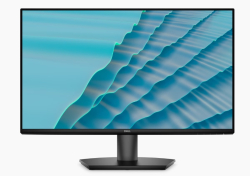
- Product Code: 2005397321028734
- Rank: 0
- Refresh rate:: 121 - 150 Hz
- Screen size:: 25.1 - 27 inch
- Brightness:: 251 - 300 cd/m2
- Matrix Type:: IPS
- VESA size:: 100x100
- Resolution:: 1920x1080
- HDMI:: Yes
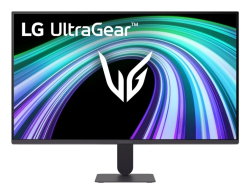
- Product Code: 2000195174150948
- Rank: 0
- VESA size:: 100x100
- Resolution:: 1920x1080
- HDMI:: Yes
- Matrix Type:: IPS
- Screen size:: 25.1 - 27 inch
- Brightness:: Up to 250 cd/m2
- Display port:: Yes
- Refresh rate:: 121 - 150 Hz
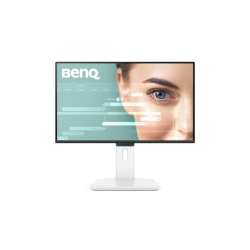
- Product Code: 2004718755096952
- Rank: 0
- VESA size:: 100x100
- Resolution:: 1920x1080
- HDMI:: Yes
- Matrix Type:: IPS
- Refresh rate:: 121 - 150 Hz
- Screen size:: 23.1 - 25 inch
- Brightness:: Up to 250 cd/m2
- Display port:: Yes
- USB Type-C port:: Yes
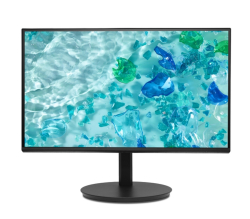
- Product Code: 2004711474736277
- Rank: 0
- Screen size:: 25.1 - 27 inch
- Brightness:: Up to 250 cd/m2
- Display port:: Yes
- Matrix Type:: IPS
- Height adjustment:: Yes
- VESA size:: 100x100
- Resolution:: 1920x1080
- HDMI:: Yes
- VGA:: Yes
- Refresh rate:: 121 - 150 Hz
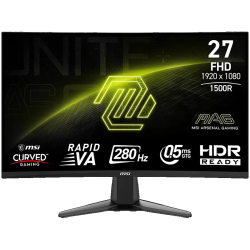
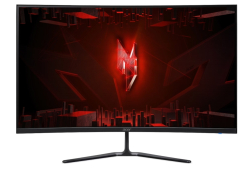
- Product Code: 2004711377222174
- Rank: 0
- Screen size:: 25.1 - 27 inch
- Brightness:: Up to 250 cd/m2
- Display port:: Yes
- Refresh rate:: 121 - 150 Hz
- VESA size:: 100x100
- Resolution:: 1920x1080
- HDMI:: Yes
- Matrix Type:: VA
- Curved screen:: Yes
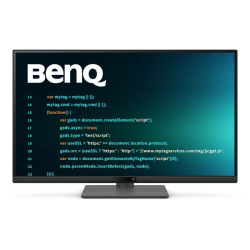
- Product Code: 2004711474993625
- Rank: 0
- Screen size:: Over 29.1 inches
- Brightness:: Up to 250 cd/m2
- Display port:: Yes
- Refresh rate:: 121 - 150 Hz
- Curved screen:: Yes
- Resolution:: 2560x1440
- HDMI:: Yes
- Matrix Type:: VA

- Product Code: 2004718755097003
- Rank: 0
- Refresh rate:: 121 - 150 Hz
- Screen size:: 25.1 - 27 inch
- Brightness:: 251 - 300 cd/m2
- Display port:: Yes
- USB Type-C port:: Yes
- VESA size:: 100x100
- Resolution:: 1920x1080
- HDMI:: Yes
- Matrix Type:: IPS
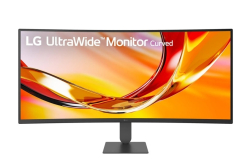
- Product Code: 2004718755098161
- Rank: 0
- Screen size:: 25.1 - 27 inch
- Brightness:: 301 - 350 cd/m2
- Display port:: Yes
- USB Type-C port:: Yes
- Height adjustment:: Yes
- VESA size:: 100x100
- Resolution:: 2560x1440
- HDMI:: Yes
- Matrix Type:: IPS
- Refresh rate:: 121 - 150 Hz
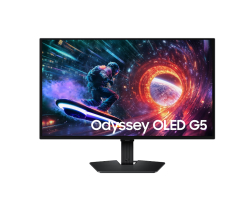
- Product Code: 2008806096797013
- Rank: 0
- Matrix Type:: VA
- Curved screen:: Yes
- Screen size:: Over 29.1 inches
- Brightness:: 251 - 300 cd/m2
- Display port:: Yes
- Refresh rate:: 121 - 150 Hz
- VESA size:: 100x100
- Resolution:: 3440x1440
- HDMI:: Yes
- Product Code: 2008806097684039
- Rank: 0
- VESA size:: 100x100
- Resolution:: 2560x1440
- HDMI:: Yes
- Matrix Type:: OLED
- Screen size:: 25.1 - 27 inch
- Brightness:: Up to 250 cd/m2
- Display port:: Yes
- Refresh rate:: 121 - 150 Hz
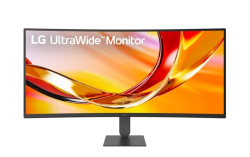
- Product Code: 2008806096829745
- Rank: 0
- Curved screen:: Yes
- Screen size:: Over 29.1 inches
- Brightness:: 251 - 300 cd/m2
- Display port:: Yes
- Refresh rate:: 121 - 150 Hz
- VESA size:: 100x100
- Resolution:: 3440x1440
- HDMI:: Yes
- Matrix Type:: VA

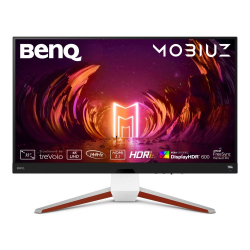
- Product Code: 2008712581796525
- Rank: 0
- Matrix Type:: VA
- Refresh rate:: 121 - 150 Hz
- Curved screen:: Yes
- Resolution:: 3440x1440
- HDMI:: Yes
- USB:: Yes
- USB Type-C port:: Yes
- VESA size:: 100x100
- Screen size:: Over 29.1 inches
- Brightness:: 301 - 350 cd/m2
- Display port:: Yes
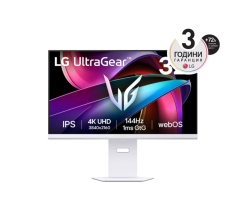
- Product Code: 2004718755077098
- Rank: 0
- Height adjustment:: Yes
- Screen size:: Over 29.1 inches
- Brightness:: 251 - 300 cd/m2
- Display port:: Yes
- Refresh rate:: 121 - 150 Hz
- VESA size:: 100x100
- Resolution:: 3840x2160
- HDMI:: Yes
- Matrix Type:: IPS
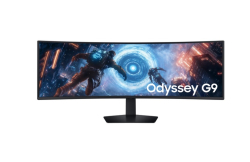
- Product Code: 2008806096349304
- Rank: 0
- Refresh rate:: 121 - 150 Hz
- VESA size:: 100x100
- Resolution:: 3840x2160
- HDMI:: Yes
- USB:: Yes
- USB Type-C port:: Yes
- Height adjustment:: Yes
- Screen size:: Over 29.1 inches
- Brightness:: Over 351 cd/m2
- Display port:: Yes
- Matrix Type:: IPS
- Product Code: 2008806095977355
- Rank: 0
- Curved screen:: Yes
- Screen size:: Over 29.1 inches
- Brightness:: 301 - 350 cd/m2
- Display port:: Yes
- Matrix Type:: OLED
- Height adjustment:: Yes
- VESA size:: 100x100
- Resolution:: 5120x1440
- HDMI:: Yes
- USB:: Yes
- Refresh rate:: 121 - 150 Hz
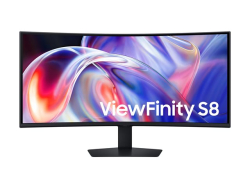
- Product Code: 2008806099105662
- Rank: 0
- Display port:: Yes
- USB Type-C port:: Yes
- USB:: Yes
- Curved screen:: Yes
- Screen size:: Over 29.1 inches
- HDMI:: Yes
- Matrix Type:: VA
- Refresh rate:: 121 - 150 Hz
- VESA size:: 100x100
- Brightness:: 301 - 350 cd/m2
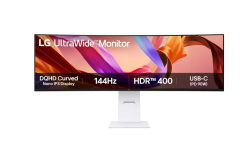
- Product Code: 2008806096532683
- Rank: 0
- USB:: Yes
- USB Type-C port:: Yes
- Height adjustment:: Yes
- Curved screen:: Yes
- Screen size:: Over 29.1 inches
- Brightness:: Over 351 cd/m2
- Display port:: Yes
- Matrix Type:: IPS
- Refresh rate:: 121 - 150 Hz
- VESA size:: 100x100
- Resolution:: 5120x1440
- HDMI:: Yes
If you want a smoother picture, faster response and a better feel when working or playing, a monitor from 121 Hz to 150 Hz is an excellent choice. This refresh rate range is suitable for gaming, dynamic content, video editing and even for everyday use where eye comfort is important.
At OK Office you will find models with different matrix types, sizes, resolutions and connectivity, so you can easily choose the right solution according to your needs.
Why choose a monitor with 121-150 Hz?
A higher refresh rate means more frames per second and smoother movement on the screen. This is most noticeable in games, sports broadcasts and dynamic scenes, but it is also important when scrolling, working with graphics or programming.
The main advantages of monitors from 121 Hz to 150 Hz include:
- smoother picture during fast movement;
- lower feeling of lag in response;
- better precision in gaming;
- less strain on the eyes during prolonged work.
This range is a balanced option between standard 60 Hz and professional 240 Hz solutions. You get a noticeable difference in the quality of visualization without having to invest in an extremely high-end configuration.
Types of matrices: IPS, OLED and VA solutions
The type of matrix determines the colors, contrast and viewing angles. In this class you will find IPS, OLED and VA solutions, each with its own specifics.
Here's how the main technologies differ:
- IPS - Offers wide viewing angles and realistic colors. Suitable for processing photos, videos and multimedia content. A balanced solution for gaming and work.
- OLED - Provides extremely saturated colors and deep black thanks to self-emitting pixels. Suitable for users looking for maximum contrast and a high-end visual experience.
- VA - Features good contrast and saturated dark tones. It is suitable for movies, series and games with a darker vision.
The choice of matrix depends on whether the priority is colors, contrast or versatility in different usage scenarios.
Resolution and screen size for monitors from 121 Hz to 150 Hz
The refresh rate is important, but the resolution and diagonal are no less important. In this segment you can find models with Full HD, Quad HD, 4K and even ultrawide formats.
The most common resolutions are:
- 1920x1080 – classic Full HD resolution, suitable for gaming and everyday work;
- 2560x1440 – higher detail and clearer picture at the same screen size;
- 3840x2160 – 4K resolution for maximum sharpness and professional tasks;
- 5120x1440 – ultrawide format for multitasking and panoramic experience.
In terms of size, you can choose between compact 23-25 inches, versatile 25-27 inches and larger solutions over 29 inches. If you work with multiple windows at the same time or play games with a wide view, a larger diagonal will give you more space and better immersion.
Available ports and connection interfaces
Modern monitors from 121 Hz to 150 Hz offer a variety of ports and connection options, allowing you to combine them with different devices.
Pay attention to the presence of:
- HDMI - Allows easy connection to a computer, console or laptop.
- DisplayPort - Suitable for higher frequencies and resolutions, especially in gaming configurations.
- USB and USB Type-C - Convenient for connecting to laptops, peripherals or charging devices.
- VGA - Useful when working with older systems.
It's good to match the ports to the available outputs on your computer or laptop to use the full potential of the frequency and resolution.
Ergonomics and comfort when working
If you spend hours in front of the screen, ergonomics are key. Some models in this range offer height adjustment, which allows you to adjust the monitor according to your body position.
For better comfort, you can choose from:
- a stand with height and tilt adjustment;
- the ability to rotate in portrait mode;
- a curved screen for a more natural field of view;
- appropriate brightness according to the lighting in the room.
The brightness in this class varies from lower values to over 351 cd/m2, which allows you to choose a solution for both a standard office environment and more brightly lit rooms.
Who are 121 Hz to 150 Hz monitors suitable for?
This range is an excellent choice if you are looking for a balance between performance and price. It is suitable for gamers who want a smoother picture without going to extreme settings.cents, as well as for professionals who value comfort and detail.
A monitor with 121 Hz to 150 Hz is a good investment if:
- you play dynamic games and want faster response;
- you process video or work with graphics;
- you use the computer for long hours and are looking for less eye strain;
- you want modern connectivity and flexible mounting options.
Explore the available offers and compare the parameters according to how you use your computer. This way you will find a monitor that not only meets the technical requirements, but actually improves your daily experience in front of the screen.