



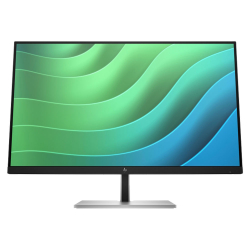
- Product Code: 44322
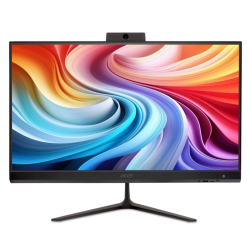
- Rank: 1
- VESA size:: 100x100
- Screen size:: 25.1 - 27 inch
- Resolution:: 1920x1080
- Brightness:: 251 - 300 cd/m2
- HDMI:: Yes
- Display port:: Yes
- Matrix Type:: IPS
- Refresh rate:: Up to 80 Hz
- Height adjustment:: Yes
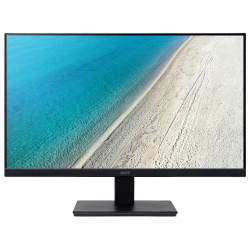
- Product Code: 2004711121743146
- Rank: 0
- Screen size:: 21.1 - 23 inch
- Resolution:: 1920x1080
- Brightness:: Up to 250 cd/m2
- HDMI:: Yes
- Matrix Type:: IPS
- Refresh rate:: 81 - 120 Hz
- VESA size:: 100x100
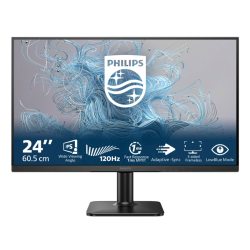
- Product Code: 2008721038000399
- Rank: 0
- VESA size:: 100x100
- Screen size:: 23.1 - 25 inch
- Resolution:: 1920x1080
- Brightness:: 251 - 300 cd/m2
- HDMI:: Yes
- VGA:: Yes
- Matrix Type:: IPS
- Refresh rate:: 81 - 120 Hz
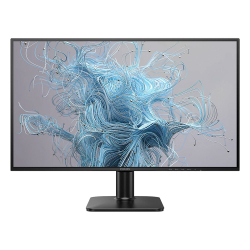
- Product Code: 2008721038000412
- Rank: 0
- VESA size:: 100x100
- Screen size:: 25.1 - 27 inch
- Resolution:: 1920x1080
- Brightness:: 251 - 300 cd/m2
- HDMI:: Yes
- VGA:: Yes
- Matrix Type:: IPS
- Refresh rate:: 81 - 120 Hz

- Product Code: 2005397321029380
- Rank: 0
- VESA size:: 100x100
- Screen size:: 21.1 - 23 inch
- Resolution:: 1920x1080
- Brightness:: 251 - 300 cd/m2
- HDMI:: Yes
- Display port:: Yes
- VGA:: Yes
- USB:: Yes
- Matrix Type:: IPS
- USB Type-C port:: Yes
- Refresh rate:: 81 - 120 Hz
- Height adjustment:: Yes
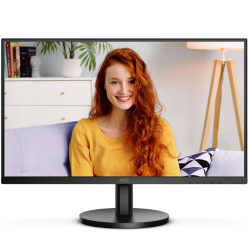
- Product Code: 2004038986181495
- Rank: 0
- VESA size:: 100x100
- Screen size:: 25.1 - 27 inch
- Resolution:: 3840x2160
- Brightness:: 301 - 350 cd/m2
- HDMI:: Yes
- Matrix Type:: IPS
- Refresh rate:: Up to 80 Hz
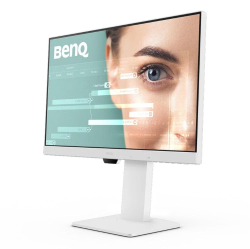
- Product Code: 2004718755094132
- Rank: 0
- VESA size:: 100x100
- Screen size:: 23.1 - 25 inch
- Resolution:: 1920x1080
- Brightness:: Up to 250 cd/m2
- HDMI:: Yes
- Display port:: Yes
- Matrix Type:: IPS
- USB Type-C port:: Yes
- Refresh rate:: 81 - 120 Hz
- Height adjustment:: Yes
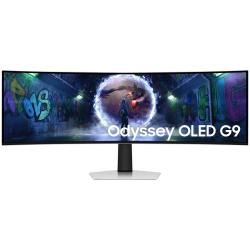
- Product Code: 2008806095700656
- Rank: 0
- Curved screen:: Yes
- VESA size:: 100x100
- Screen size:: Over 29.1 inches
- Resolution:: 5120x1440
- Brightness:: Up to 250 cd/m2
- HDMI:: Yes
- Display port:: Yes
- USB:: Yes
- Matrix Type:: OLED
- USB Type-C port:: Yes
- Refresh rate:: Above 151 Hz
- Height adjustment:: Yes
Characteristics
RJ-45 to USB-C provides easy network connection with security
Simplify all peripherals – from the monitor to the computer using a USB Type-C connector with a single cable, which includes networking, high-definition video output from the computer to the monitor and surfing the Internet without an additional network cable, and even without a LAN port on your laptop. The RJ45 connection via USB-C offers a fast and secure connection when needed. Having the fastest data speeds allows you to transfer data from a hard drive to a computer faster than ever before. Additionally, USB-C with power delivery can even allow you to power and charge your laptop from the monitor, eliminating the need for additional power cables.
The VA screen provides impressive images with wide viewing angles
The Philips VA LED display uses cutting-edge MVA (Multi-domain Vertical Alignment) technology, which gives you ultra-high static contrast for even more vivid and vivid images. It handles standard office applications with ease and is particularly suitable for photos, web browsing, movies, games and serious graphics applications. Its optimized pixel management technology gives you an ultra-wide viewing angle of 178/178 degrees, resulting in sharp images.
CrystalClear images with UltraWide QHD 3440 x 1440 pixels
These Philips displays deliver CrystalClear, UltraWide Quad HD images of 3440 x 1440 pixels. Using high-quality panels with high pixel density, wide viewing angles of 178/178 degrees, these new displays will bring your images and graphics to life. The UltraWide 21:9 format enables higher productivity with more comparison space and more visible columns in spreadsheets. Whether you are a demanding professional who needs extremely detailed information on CAD-CAM solutions, or a financial genius who works with huge spreadsheets, Philips displays provide CrystalClear images.
Built-in KVM switch for easy switching between sources
With the MultiClient built-in KVM switch, you can control two separate computers with one monitor, one keyboard and one mouse. The convenient button allows you to quickly switch between sources. Handy with setups that require double PC power or sharing one large monitor to display on two different PCs.
MultiView allows dual connection and viewing at the same time
With the Philips MultiView ultra-high resolution display, you can now experience a huge variety of connectivity options. MultiView enables active dual connection and viewing, so you can work simultaneously with multiple devices, such as a PC and a laptop, to multitask.
A webcam with a sound-isolating microphone for collaboration
This Philips monitor comes with a built-in 5 MP webcam, sound-isolating microphone and speakers. These additions make it ideal for working from home and remote collaboration. The webcam is Windows Hello certified. Equipped with advanced sensors for Windows Hello™ for facial recognition that gives you access to Windows devices in less than 2 seconds. A physical camera switch offers additional privacy when not in use. The sound-isolating microphone and dual 5-watt integrated speakers ensure clear communication.
PowerSensor saves up to 80% of electricity costs
PowerSensor is a built-in "people sensor" that transmits and receives harmless infrared signals to determine whether a user is present and automatically dims when the user gets up from the desk, reducing electricity costs by up to 80 percent and extending monitor life< br />
TUV Rheinland Eye Comfort Certified to reduce eye fatigue
The Philips display meets the TUV Rheinland eye comfort standard to prevent eye strain caused by prolonged computer use. With TUV eye comfort certification, Philips displays guarantee a wide viewing angle with low blue light mode without flickering and disturbing reflections and less degradation of image quality when viewing from different angles, as well as an ergonomic stand design for the perfect viewing experience . Protect your eyes and increase your work productivity.
Tilt, swivel and height adjustment for ideal viewing position
The compact ergonomic base is "people friendly" Philips monitor stand with tilt, swivel and height adjustment so that any user can position the monitor for maximum viewing comfort and efficiency.
LightSensor for perfect brightness with minimum energy
LightSensor uses an intelligent sensor to adjust the brightness depending on the light in the room for a perfect picture with minimal energy consumption.
Product features:
| Size: | 34" |
| Resolution: | 3440x1440 |
| Format: | 21:9 |
| Panel: | VA |
| Backlight: | LED |
| Curved: | yes - R1500 |
| Step: | 0.23175 |
| Screen coverage: | Anti-Glare |
| Brightness: | 350 cd/m2 |
| Static Contrast: | 3000 :1 |
| Dynamic contrast: | 50000000 :1 |
| Viewing angles: | 178º / 178º |
| Response Time: | 4ms |
| Refresh rate: | 100 Hz |
| Display Colors: | 16.7 M |
| sRGB coverage: | 120% |
| NTSC: | 100% |
| Web Camera: | Yes |
| Columns: | 2 x 5W |
| HDMI: | 1 x HDMI |
| DisplayPort: | 1 x DisplayPort |
| USB-C: | 1 x USB-C |
| USB-C Docking: | yes |
| USB HUB: | 4 x USB 3.2 |
| KVM: | yes |
| LAN: | 1 x RJ45 |
| Outputs: | 1 x 3.5 mm audio jack |
| VESA: | 100x100 |
| Ergonomic stand: | yes |
| Stance: | Height adjustment: 180mm, Rotation: 360 degrees, Tilt: -5/+25 degrees |
| Features: | Adaptive Sync; Flicker-free; Low Blue Mode; Ultra Wide Crystal Clear; PIP; PBP; EasyRead; SmartImage; USB-C Docking; PD up to 100 W; Power Sensor; Windows Hello Web Camera; Delta E: < 2 |
| Accessories included: | HDMI cable, DisplayPort cable, USB-C to C/A Y cable, Power cable, User documentation |
| Power consumption: | 35 W |
| Certificates: | CB, CE, FCC Class B, ICES-003, CU-EAC, EnergyStar 8.0, EPEAT, TCO, RoHS, SEMKO, TUV Ergo, TUV/GS, TUV |
| Body Color: | Black |
| Thin frame: | yes |
| Warranty: | 36 months |
| Weight: | 11,710 kg. |
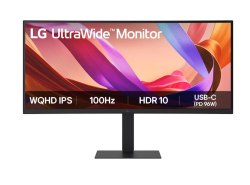
- Product Code: 2008806096594759
- Rank: 0
- Curved screen:: Yes
- VESA size:: 100x100
- Screen size:: Over 29.1 inches
- Resolution:: 3440x1440
- Brightness:: 251 - 300 cd/m2
- HDMI:: Yes
- Display port:: Yes
- Matrix Type:: IPS
- USB Type-C port:: Yes
- Refresh rate:: 81 - 120 Hz
- Height adjustment:: Yes
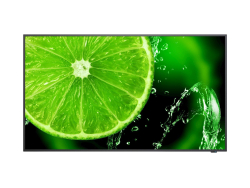
- Product Code: 2005028695120488
- Rank: 0
- VESA size:: 400x200
- Screen size:: Over 29.1 inches
- Resolution:: 3840x2160
- Brightness:: Over 351 cd/m2
- HDMI:: Yes
- VGA:: Yes
- USB:: Yes
- Matrix Type:: IPS
- USB Type-C port:: Yes
- Refresh rate:: Up to 80 Hz
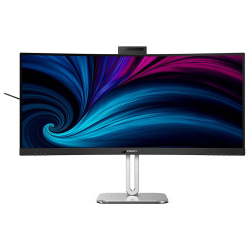
- Product Code: 2008712581804633
- Rank: 0
- Curved screen:: Yes
- VESA size:: 100x100
- Screen size:: Over 29.1 inches
- Resolution:: 3440x1440
- Brightness:: Over 351 cd/m2
- HDMI:: Yes
- Display port:: Yes
- USB:: Yes
- Matrix Type:: VA
- USB Type-C port:: Yes
- Refresh rate:: 81 - 120 Hz
- Height adjustment:: Yes
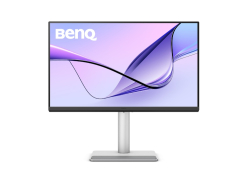
- Product Code: 2004718755097577
- Rank: 0
- VESA size:: 100x100
- Screen size:: 25.1 - 27 inch
- Resolution:: 3840x2160
- Brightness:: Over 351 cd/m2
- HDMI:: Yes
- Display port:: Yes
- USB:: Yes
- USB Type-C port:: Yes
- Refresh rate:: Up to 80 Hz
- Height adjustment:: Yes
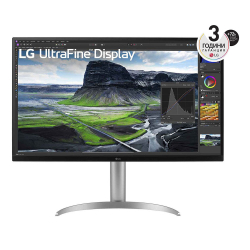
- Product Code: 2008806084240866
- Rank: 0
- VESA size:: 100x100
- Screen size:: Over 29.1 inches
- Resolution:: 3840x2160
- Brightness:: Over 351 cd/m2
- HDMI:: Yes
- Display port:: Yes
- USB:: Yes
- Matrix Type:: IPS
- USB Type-C port:: Yes
- Refresh rate:: Up to 80 Hz
- Height adjustment:: Yes
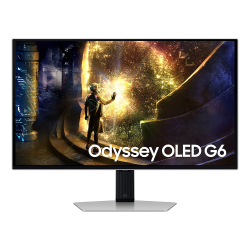
- Product Code: 2008806095810676
- Rank: 0
- VESA size:: 100x100
- Screen size:: 25.1 - 27 inch
- Resolution:: 2560x1440
- Brightness:: Up to 250 cd/m2
- HDMI:: Yes
- Display port:: Yes
- USB:: Yes
- Matrix Type:: OLED
- Refresh rate:: Above 151 Hz
- Height adjustment:: Yes
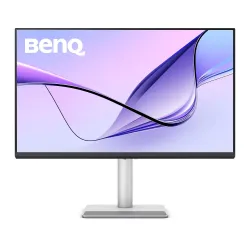
- Product Code: 2004718755094552
- Rank: 0
- VESA size:: 100x100
- Screen size:: Over 29.1 inches
- Resolution:: 3840x2160
- Brightness:: Over 351 cd/m2
- HDMI:: Yes
- USB:: Yes
- Matrix Type:: IPS
- USB Type-C port:: Yes
- Refresh rate:: Up to 80 Hz
- Height adjustment:: Yes

- Product Code: 2005397184821480
- Rank: 0
- VESA size:: 100x100
- Screen size:: 25.1 - 27 inch
- Resolution:: 2560x1440
- Brightness:: 301 - 350 cd/m2
- HDMI:: Yes
- Display port:: Yes
- USB:: Yes
- Matrix Type:: IPS
- USB Type-C port:: Yes
- Refresh rate:: 81 - 120 Hz
- Height adjustment:: Yes

- Product Code: 2008712581796525
- Rank: 0
- Screen size:: Over 29.1 inches
- Brightness:: 301 - 350 cd/m2
- Display port:: Yes
- Matrix Type:: VA
- Refresh rate:: 121 - 150 Hz
- Curved screen:: Yes
- Resolution:: 3440x1440
- HDMI:: Yes
- USB:: Yes
- USB Type-C port:: Yes
- VESA size:: 100x100
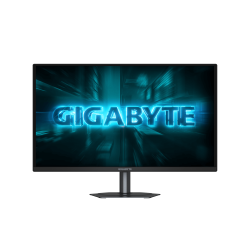
- Product Code: 2004719331874780
- Rank: 0
- VESA size:: 100x100
- Resolution::
- HDMI:: Yes
- USB:: Yes
- Refresh rate:: Above 151 Hz
- Screen size:: 25.1 - 27 inch
- Brightness:: Up to 250 cd/m2
- Display port:: Yes
- USB Type-C port:: Yes

- Product Code: 5300000080129791
- Rank: 0
- USB Type-C port:: Yes
- Processor:: Intel Core i5
- RAM:: 16GB
- Hard disk capacity:: 256GB
- OS:: Without operating system
- Display:: 14 - 15.5 inch
- Resolution:: 1920x1080
- Hard disk type:: SSD
- Video card:: Intel
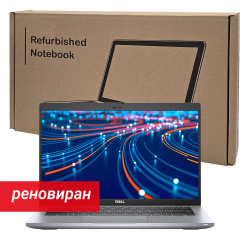
- Product Code: 5300000080124573
- Rank: 0
- Processor:: Intel Core i5
- RAM:: 16GB
- Hard disk capacity:: 256GB
- OS:: Without operating system
- Display:: 14 - 15.5 inch
- Resolution:: 1920x1080
- Hard disk type:: SSD
- Video card:: Intel
- USB Type-C port:: Yes

- Product Code: 45678
- Rank: 0
- Number of sheets:: 60
- Paper:: Offset
- Covers:: Soft
- Type of binding:: Spiral
- Posted on:: Rows
- Format:: A6




- Product Code: 45911
- Rank: 0
- Posted on:: Squares
- Format:: A4
- Number of sheets:: 52
- Paper:: Offset
- Covers:: Soft
- Type of binding:: With wires
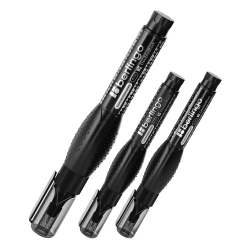
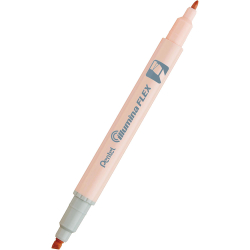
- Product Code: 39162
- Rank: 0
- Writing thickness:: 1.0 - 3.5 mm
- Top:: Round/Beveled
- Color:: Orange

- Product Code: 52901
- Rank: 0
- Format:: A4
- Color:: Yellow
- Weight:: 100 g/m2
- Package:: 50 sheets
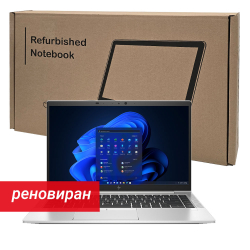
- Product Code: 5300000080124751
- Rank: 0
- RAM:: 16GB
- Hard disk capacity:: 256GB
- OS:: Without operating system
- Display:: 14 - 15.5 inch
- Resolution:: 1920x1080
- Hard disk type:: SSD
- Video card:: Intel
- USB Type-C port:: Yes
- Processor:: Intel Core i7
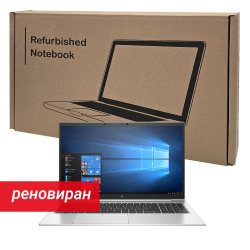
- Product Code: 5300000080122321
- Rank: 0
- Display:: 15.6 - 16.9 inch
- Resolution:: 1920x1080
- Hard disk type:: SSD
- Video card:: NVIDIA
- USB Type-C port:: Yes
- Processor:: Intel Core i7
- RAM:: 16GB
- Hard disk capacity:: 256GB
- OS:: Without operating system
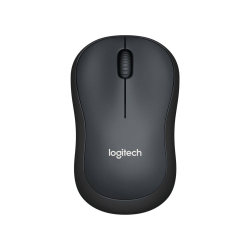
- Product Code: 39846
- Rank: 0
- Sensor Type:: Optical
- Resolution:: 801 - 1200 dpi
- Color:: Black
- Silent buttons:: Yes
- Interface:: USB
- Buttons:: 3
- Connection type::
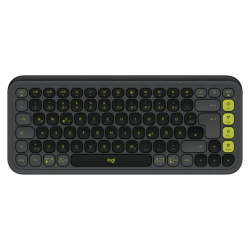
- Product Code: 2005099206127357
- Rank: 0
- Connection type:: Wireless
- Silent buttons:: Yes
- Multimedia buttons:: Yes
- Interface:: Bluetooth
- Color:: Black
- BDS Cyrillicization:: No
- Product Code: 5300000080117792
- Rank: 0
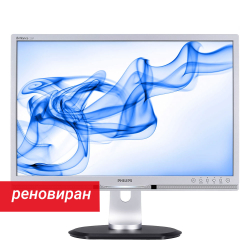
- VGA:: Yes
- Resolution:: 1920x1080
- DVI:: Yes
- Screen size:: 21.1 - 23 inch
- Brightness:: 251 - 300 cd/m2
- Product Code: 5300000080022372
- Rank: 0
- Resolution:: 1680x1050
- DVI:: Yes
- USB:: Yes
- Screen size:: 21.1 - 23 inch
- Brightness:: Up to 250 cd/m2
- VGA:: Yes
- Product Code: 38398
- Rank: 0
- Bandwidth:: 23 mm
- Tape type:: Pre-sized tape
- Number per roll:: 1000 labels
- Product Code: 5292
- Rank: 0
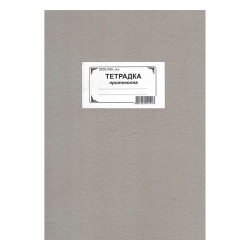
- Number of sheets:: 100
- Paper:: Newspaper
- Covers:: Solid
- Type of binding:: Glued
- Posted on:: Rows
- Format:: 23/35 cm
- Product Code: 47956
- Rank: 0
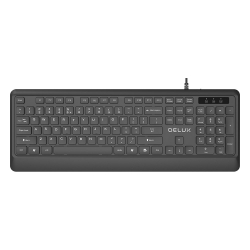
- Connection type:: Wired
- BDS Cyrillicization:: Yes
- Interface:: USB
- Color:: Black
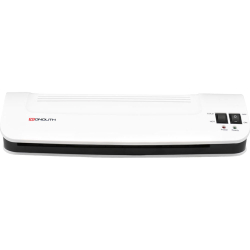
- Product Code: 16272
- Rank: 0
- Number of rolls:: 2
- Ramer:: A3
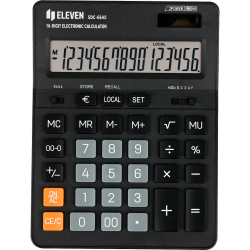
- Product Code: 43149
- Rank: 0
- Display symbols:: 16
- Type:: Tabled
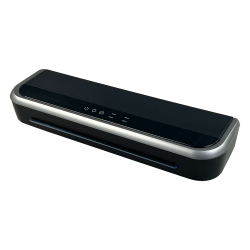
- Product Code: 51791
- Rank: 0
- Number of rolls:: 4
- Ramer:: A3
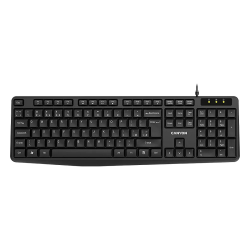
- Product Code: 21055
- Rank: 1
- Connection type:: Wired
- BDS Cyrillicization:: Yes
- Interface:: USB
- Color:: Black
- Multimedia buttons:: Yes
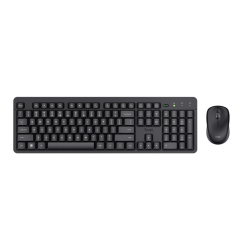
- Product Code: 2008713439250183
- Rank: 0
- Connection type:: Wireless
- Type:: Kit
- Multimedia buttons:: Yes
- Interface:: USB
- Color:: Black
- Silent buttons:: Yes
- BDS Cyrillicization:: No
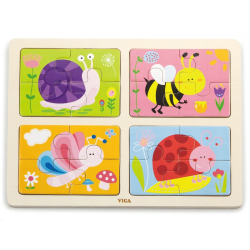
- Product Code: 2006934510501891
- Rank: 0
- Type:: Puzzles
- Material:: Wood
- Age:: 1+ years
- Topic:: Animals
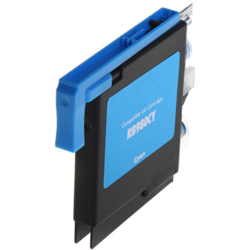
- Product Code: 11940
- Rank: 0
- Color:: Cyan
- Type:: Compatible
- Product Code: 2004711721023297
- Rank: 0
- RAM:: 16GB
- Hard disk capacity:: 512GB
- USB Type-C port:: Yes
- Display:: Over 17 inches
- Resolution:: 1920x1080
- Hard disk type:: SSD
- Video card:: AMD
- Processor:: AMD Ryzen 5
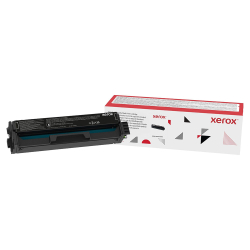
- Product Code: 39270
- Rank: 0
- Type:: Original
- Color:: Black

- Product Code: 2006971608446481
- Rank: 0
- Age:: 18+ months
- Topic:: Digits, numbers and quantities
- Type:: Puzzles
- Material:: Wood
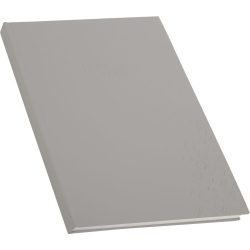
- Product Code: 18499
- Rank: 0
- Posted on:: Rows
- Format:: A4
- Number of sheets:: 100
- Paper:: Offset
- Covers:: Solid
- Type of binding:: Glued