


- Promotions
HP Color laser printers
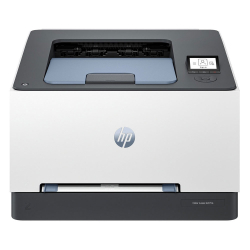
- Product Code: 5500007047220720
- Rank: 0
- Color print speed:: 25 pages per minute
- Printing technology:: Laser
- Double-sided printing:: Automatic
- Print format:: A4
- Print speed black:: 25 pages per minute
- Recommend. monthly load::
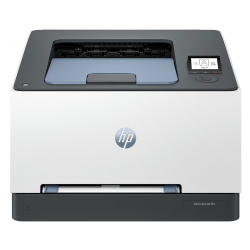
- Product Code: 5500007047108557
- Rank: 0
- Color print speed:: 25 pages per minute
- Printing technology:: Laser
- Recommend. monthly load:: 2 500 copies
- Wireless network:: Yes
- Print format:: A4
- Print speed black:: 25 pages per minute
- Network:: Yes
- Double-sided printing:: Automatic
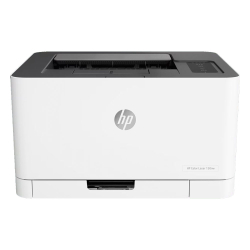
- Product Code: 5500007004014480
- Rank: 0
- Double-sided printing:: Manual
- Scan:: A4
- Color print speed:: 4 pages per minute
- Printing technology:: Laser
- Recommend. monthly load:: 20,000 pages
- Wireless network:: Yes
- Print format:: A4
- Print speed black:: 18 pages per minute
- Network:: Yes
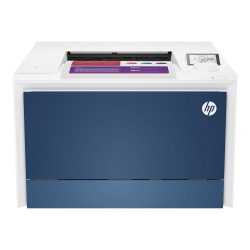
- Product Code: 5500007046317710
- Rank: 0
- Print format:: A4
- Print speed black:: 33 pages per minute
- Recommend. monthly load::
- Wireless network:: Yes
- Color print speed:: 33 pages per minute
- Printing technology:: Laser
- Double-sided printing:: Automatic
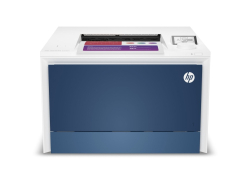
- Product Code: 5200006306060860
- Rank: 0
- Color print speed:: 33 pages per minute
- Printing technology:: Laser
- Recommend. monthly load:: 750 copies
- Wireless network:: Yes
- Print format:: A4
- Print speed black:: 33 pages per minute
- Network:: Yes
- Double-sided printing:: Automatic
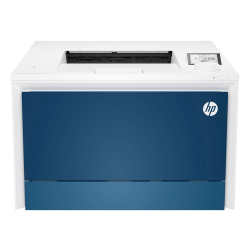
- Product Code: 5500007046317731
- Rank: 0
- Print format:: A4
- Print speed black:: 33 pages per minute
- Network:: Yes
- Double-sided printing:: Automatic
- Bluetooth:: Yes
- Color print speed:: 33 pages per minute
- Printing technology:: Laser
- Recommend. monthly load:: 4 000 copies
- Wireless network:: Yes
HP laser color printers are a practical solution when you want fast, high-quality and durable printing in both black and white and color. They are designed for a dynamic work environment - office, home office or small business, where reliability, automation and stable network connectivity are relied on.
At OK Office you will find A4 devices with automatic double-sided printing and wireless connectivity, which combine speed, precision and convenience in everyday work.
Who are HP laser color printers suitable for?
This type of printer is aimed at users who regularly print documents, offers, presentations, contracts and marketing materials in color. Laser technology provides a lower cost per page for higher volumes, as well as durability over time.
HP color laser printers are an excellent choice if:
- you work in a small or medium-sized office with a monthly workload of up to several thousand pages;
- you want automatic two-sided printing to save paper and a more professional look for documents;
- you rely on Wi-Fi and network connectivity to work from multiple devices;
- you need a stable print speed of over 20 pages per minute in both black and white and color;
- you are looking for a compact A4 solution with easy integration into an existing office environment.
This gives you a balanced combination of productivity and cost control, without compromising on color quality.
What distinguishes color laser printing from inkjet?
When choosing between a laser and inkjet printer, it is important to know the differences in technology and application. Laser color printers use toner and precise heating, which guarantees a durable print and clear contours.
The main advantages of laser color printing are:
- Faster printing speed. Laser technology allows for fast printing of both text documents and color graphics, which is key for intensive work.
- Consistent quality in high volumes. Even with hundreds of pages per day, the text remains clear, and the colors – saturated and uniform.
- Lower maintenance requirements. The toner cartridges have a longer life and do not dry out, which makes the device suitable for more irregular printing.
As a result, you get more stable operation and predictable costs over time.
What features to consider?
When choosing an HP laser color printer, it is a good idea to pay attention to specific technical parameters. They determine not only speed, but also convenience in everyday use.
Among the most important features are:
- automatic two-sided printing– saves time and paper;
- Wi-Fi and network connectivity – allows printing from a laptop, desktop or mobile device;
- high speed in pages per minute – for efficiency in larger volumes;
- recommended monthly load – a guideline for long-term reliability;
- options such as ADF and additional features in multifunctional models.
The combination of these parameters ensures that the device will meet your real needs, not just basic requirements.
HP's advantages in a business environment
HP is an established brand in the field of office equipment, and the brand's laser color printers are distinguished by reliability and easy integration into a network infrastructure. Software solutions for print management, compatibility with various operating systems and stable performance make them a preferred choice for businesses and professionals.
An additional advantage is the balanced ratio between initial investment and consumables costs, which is key in long-term planning of the office budget.
If you are looking for a solution for fast and high-quality color printing in A4 format with automatic duplex mode and wireless connectivity, HP color laser printers will provide you with reliability and efficiency in your daily work.
View the offers in our online store and choose the model that best suits the volume and specifics of your business.
FAQ for Color laser printers
What are the advantages of laser color printers?
Color laser printers offer fast print speeds and excellent color quality, making them ideal for office environments and professional applications. They also have a lower cost per page than many inkjet printers.
How do I choose the right laser color printer for my office?
When choosing a color laser printer for your office, consider factors such as print volume, speed, print quality, and toner costs. Our consultants at OK Office can help you make an informed decision.
What is the difference between a laser and inkjet printer?
The main difference is in the printing technology. Laser printers use toner and are faster and more economical for large volumes, while inkjets use ink and are suitable for high-quality color images and smaller volumes.
Why is my color laser printer not printing correctly?
If your color laser printer is not printing properly, there may be problems with the toner, connection, or printer settings. Check that the toner is installed correctly and that the drivers are up to date. Our OK Office team is available to assist.
How do I install a new laser color printer?
Installing a new color laser printer usually involves connecting it to your computer via USB or network, installing the drivers, and setting up the printer via the control panel. Our instructions at OK Office are easy to follow and will help you get started quickly.