


- Promotions
CANON Printers
-
Technology
2210
-
Printers
106
-
Color laser printers
20
-
Monochrome laser printers
29
-
Label printers
43
-
Dot matrix printers
1
-
Inkjet printers
10
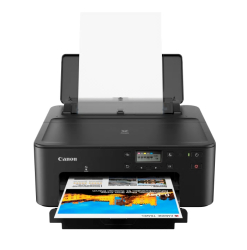
- Product Code: 2004549292198423
- Rank: 0
- Printing technology:: Ink jet
- Double-sided printing:: Automatic
- Color print speed:: 20 pages per minute
- Print format:: A4
- Network:: Yes
- Wireless network:: Yes
- Print speed black:: 33 pages per minute
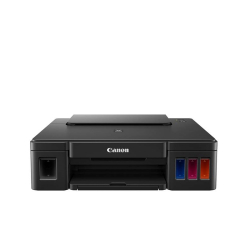
- Product Code: 2004549292095340
- Rank: 0
- Print format:: A4
- Color print speed:: 5 pages per minute
- Printing technology:: Ink jet
- Print speed black:: 8.8 pages per minute
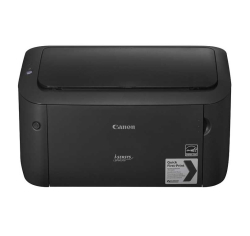
- Product Code: 2004960999996615
- Rank: 0
- Print format:: A4
- Printing technology:: Laser
- Print speed black:: 18 pages per minute
- Double-sided printing:: Manual
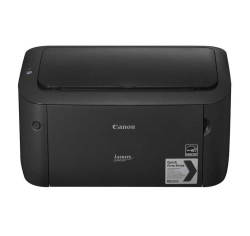
- Product Code: 5200006303856500
- Rank: 0
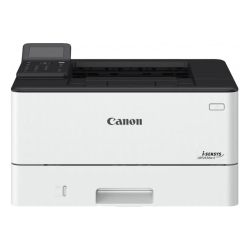
- Product Code: 2004549292248678
- Rank: 0
- Print format:: A4
- Printing technology:: Laser
- Recommend. monthly load:: 4 000 copies
- Wireless network:: Yes
- Print speed black:: 36 pages per minute
- Network:: Yes
- Double-sided printing:: Automatic
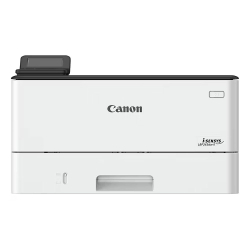
- Product Code: 2004549292248609
- Rank: 0
- Network:: Yes
- Double-sided printing:: Automatic
- Print format:: A4
- Printing technology:: Laser
- Recommend. monthly load:: 4 000 copies
- Wireless network:: Yes
- Color print speed:: 40 pages per minute
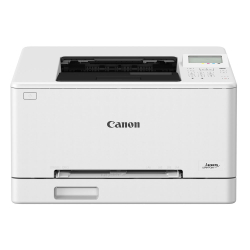
- Product Code: 2004549292241976
- Rank: 0
- Color print speed:: 15 pages per minute
- Printing technology:: Laser
- Recommend. monthly load:: 250 copies
- Wireless network:: Yes
- Print format:: A4
- Print speed black:: 15 pages per minute
- Network:: Yes
- Double-sided printing:: Automatic
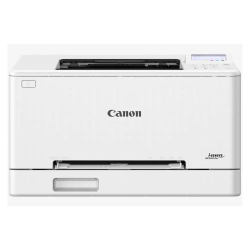
- Product Code: 2004549292242270
- Rank: 0
- Color print speed:: 25 pages per minute
- Network:: Yes
- Double-sided printing:: Automatic
- Print speed black:: 25 pages per minute
- Print format:: A4
- Printing technology:: Laser
- Recommend. monthly load:: 250 copies
- Wireless network:: Yes
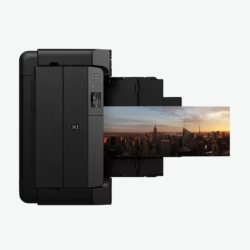
- Product Code: 5200006307059584
- Rank: 0
- Network:: Yes
- Printing technology:: Ink jet
- Wireless network:: Yes
- Print format:: A3+
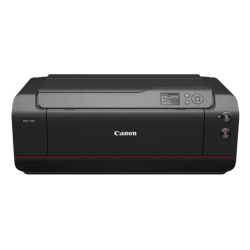
- Product Code: 2004549292240887
- Rank: 0
- Print format::
- Network:: Yes
- Printing technology:: Ink jet
- Wireless network:: Yes
CANON has established itself as a pioneer in the production of printers and multifunction devices, offering solutions that combine innovation and high quality. In this category, you will find a wide assortment of brand products that satisfy the needs of both small businesses and individual consumers.
Why are CANON printers the preferred choice?
CANON products win the trust of users thanks to their uncompromising quality, durability and ease of use. Check out some of the key benefits that set them apart:
- high quality and performance - whether it is laser or inkjet models, the brand guarantees excellent performance even with intensive use;
- innovations to optimize work - CANON is constantly introducing innovations such as wireless connectivity and cloud solutions, making it easier to share and process documents and increase workflow flexibility. The PIXMA series is distinguished by its multifunctional capabilities and easy installation, which allows users to start working with the device as quickly as possible;
- easy connection and setup – with convenient connection options and accessible drivers, starting up and installing your printer becomes an extremely easy task. The process of error reset and cleaning is also simplified, thanks to intuitive instructions for users;
- environmental responsibility and sustainability - CANON prioritizes environmental responsibility by developing products and technologies aimed at reducing carbon emissions and energy consumption, while offering competitive prices. This includes features such as auto-off and economy print mode that help not only save energy but also reduce operating costs;
- an extraordinary variety of media and print formats - CANON printers, including the PIXMA and LBP series, offer the possibility of printing on various types of paper, photo paper, film and even direct printing on CD/DVD. This provides flexibility and the ability to implement a variety of creative and professional projects.
Variety of CANON printers at OK Office
At OK Office, we offer a wide range of Canon devices to suit different needs and preferences:
- laser printers - color or monochrome, they are ideal for business, offering fast and clear printing;
- inkjet printers - suitable for home use, providing high-quality images and documents;
- multifunction devices - combine the functions of a printer, scanner and copier, making them perfect for any work environment.
Upgrade your work environment with CANON printers from OK Office
By choosing the OK Office online store, you trust in quality that transforms your printing and work process. No matter what your requirements are, CANON offers the perfect solution for every situation. Find your ideal printer in our catalog and take advantage of its possibilities.
FAQ for Printers
What are the main advantages of Canon printers?
Canon printers are renowned for their reliability, high print quality and long life. They offer a variety of models to suit a variety of needs - from home use to professional offices. Many of them feature intuitive features and wireless connectivity, making them easy to use.
How do I install a Canon printer on my computer?
Setting up a Canon printer usually requires installing drivers, which you can download from the official Canon website. Follow the instructions included with the printer or on your computer screen to connect and configure it correctly. Most models also offer wireless setup.
What is the difference between Canon laser and inkjet printers?
Canon laser printers are ideal for high-volume documents and black-and-white printing, offering speed and a lower cost per page. On the other hand, inkjet printers are better suited for color printing and high-resolution images, making them a preferred choice for photographers and designers.
How do I fix a clogged nozzle problem on a Canon inkjet printer?
Clogged nozzles are a common problem and can usually be resolved by running an automatic cleaning from the printer menu. If the problem persists, you can try cleaning the nozzles manually, following the manufacturer's instructions. Using quality inks can help prevent future clogs.
How do I fix a Canon printer that is not printing?
If your Canon printer is not printing, check that it is connected properly to the computer and that there is enough ink or toner. Make sure there are no paper jams and that the drivers are up to date. If the problem persists, restart the device or consult technical support.