


- Promotions
Monitors
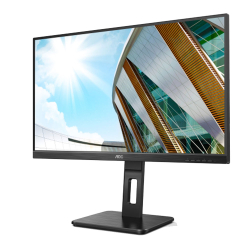
- Product Code: 2004038986187329
- Rank: 0
- Resolution:: 1920x1080
- HDMI:: Yes
- Display port:: Yes
- USB:: Yes
- Refresh rate:: Up to 80 Hz
- Screen size:: 25.1 - 27 inch
- Brightness:: 251 - 300 cd/m2
- DVI:: Yes
- VGA:: Yes
- Matrix Type:: IPS
- Height adjustment:: Yes
- VESA size:: 100x100
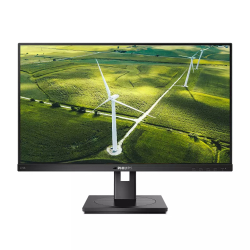
- Product Code: 2008712581764319
- Rank: 0
- Screen size:: 27.1 - 29 inch
- Brightness:: Up to 250 cd/m2
- DVI:: Yes
- VGA:: Yes
- Matrix Type:: IPS
- Height adjustment:: Yes
- Resolution:: 1920x1080
- HDMI:: Yes
- Display port:: Yes
- USB:: Yes
- Refresh rate:: Up to 80 Hz
- VESA size:: 100x100
Monitors with DVI are a practical solution if you are looking for a stable digital connection and compatibility with older computers, video cards or specialized systems. The DVI interface continues to be used in office environments, industrial configurations and workstations, where a reliable signal and predictable picture quality are relied on.
What is the DVI interface?
DVI, an abbreviation for Digital Visual Interface, is a standard for transmitting a video signal between a computer and a monitor. It supports digital image transmission, and in some varieties, an analog signal. Its main advantage is the stability and clarity of the picture at standard and higher resolutions.
Who are DVI monitors suitable for?
This type of monitor is especially practical in environments where older desktop computers or specific graphics cards are used. They are also a preferred choice when upgrading office equipment without replacing the entire system.
A monitor with a DVI input is a good solution if:
- you use a computer with a DVI output and want a direct connection without additional adapters;
- you work with specialized software installed on an older machine;
- you are looking for a budget option for a second screen;
- you maintain an existing IT infrastructure in an office or school environment;
- you want a reliable connection without the risk of signal loss with longer cables.
DVI remains a current standard in specific situations where stability and compatibility are a priority.
How to choose a suitable monitor with DVI?
When choosing a monitor, it is important to pay attention to the technical characteristics that directly affect the comfort and quality of work:
- Screen size. Determine according to the distance to the monitor and the space on the desk. For standard office work, medium diagonals are often preferred, which allow good visibility without unnecessary eye strain.
- Resolution. DVI supports high resolutions, including Full HD with single link and higher with dual link. Take into account the capabilities of the video card.
- Panel type. TN panels provide faster response, while IPS offer better viewing angles and more accurate colors. The choice depends on whether your priority is speed or color reproduction.
- Refresh rate. For standard work, 60 Hz is quite sufficient. For more dynamic content or specific tasks, you can aim for higher values, if the interface and video card allow it.
- Additional ports. The presence of HDMI, DisplayPort or VGA provides greater flexibility for future upgrades.
Well-chosen features guarantee long-term use and optimal image quality.
Advantages of DVI monitors
Although newer standards are available on the market, DVI continues to be preferred in many cases. The reasons are related to the practicality of the interface:
- stable digital transmission without signal compression;
- good compatibility with existing systems;
- easy installation without complicated settings;
- possibility of using adapters to HDMI;
- reliability during prolonged work in an office environment.
If you are looking for a reliable connection, stable image and compatibility with existing equipment, check out the available offers at OK Office and choose the model that best suits your needs.