


- Promotions
Mechanical keyboards
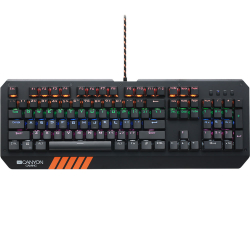
- Product Code: 37120
- Rank: 1
- Backlight:: Yes
- Interface:: USB
- Color:: Orange
- Type:: Gaming
- Mechanical buttons:: Yes
- Connection type:: Wired
- BDS Cyrillicization:: No
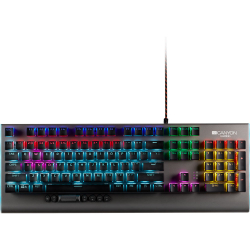
- Product Code: 39828
- Rank: 1
- Connection type:: Wired
- BDS Cyrillicization:: No
- Backlight:: Yes
- Multimedia buttons:: Yes
- Interface:: USB
- Color:: Gray
- Type:: Gaming
- Mechanical buttons:: Yes
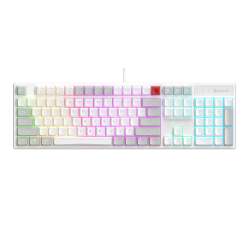
- Product Code: 2004711421003131
- Rank: 0
- Connection type:: Wired
- Type:: Gaming
- Mechanical buttons:: Yes
- Interface:: USB
- Color:: White
- Backlight:: Yes
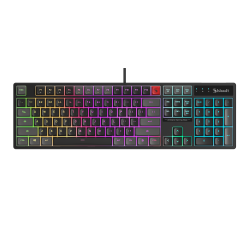
- Product Code: 2004711421003124
- Rank: 0
- Connection type:: Wired
- Type:: Gaming
- Mechanical buttons:: Yes
- Interface:: USB
- Color:: Black
- Backlight:: Yes
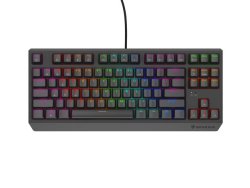
- Product Code: 2005901969443264
- Rank: 0
- Interface:: USB
- Color:: Black
- Type:: Gaming
- Mechanical buttons:: Yes
- Connection type:: Wired
- BDS Cyrillicization:: No
- Backlight:: Yes
- Silent buttons:: Yes
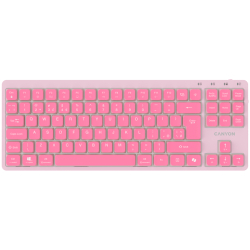
- Product Code: 2005291485018931
- Rank: 0
- Connection type:: Wired
- BDS Cyrillicization:: No
- Mechanical buttons:: Yes
- Multimedia buttons:: Yes
- Interface:: USB
- Color:: Pink
- Backlight:: Yes
- Silent buttons:: Yes
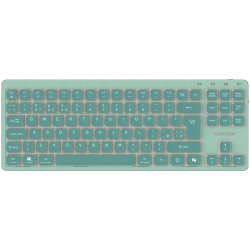
- Product Code: 2005291485018948
- Rank: 0
- Multimedia buttons:: Yes
- Interface:: USB
- Color:: Green
- Backlight:: Yes
- Silent buttons:: Yes
- Connection type:: Wired
- BDS Cyrillicization:: No
- Mechanical buttons:: Yes
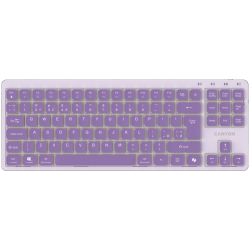
- Product Code: 2005291485018955
- Rank: 0
- Interface:: USB
- Color:: Purple
- Backlight:: Yes
- Silent buttons:: Yes
- Connection type:: Wired
- BDS Cyrillicization:: No
- Mechanical buttons:: Yes
- Multimedia buttons:: Yes
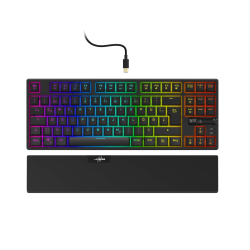
- Product Code: 2004047443466495
- Rank: 0
- Interface:: USB
- Color:: Black
- Type:: Gaming
- Mechanical buttons:: Yes
- Connection type:: Wired
- BDS Cyrillicization:: No
- Backlight:: Yes
- Multimedia buttons:: Yes
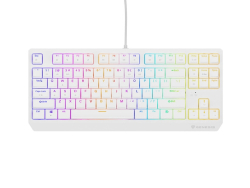
- Product Code: 2005901969443301
- Rank: 0
- Backlight:: Yes
- Silent buttons:: Yes
- Interface:: USB
- Color:: White
- Type:: Gaming
- Mechanical buttons:: Yes
- Connection type:: Wired
- BDS Cyrillicization:: No
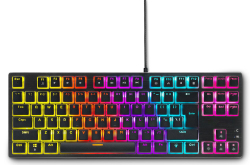
- Product Code: 2005207011011178
- Rank: 0
- Connection type:: Wired
- BDS Cyrillicization:: No
- Backlight:: Yes
- Multimedia buttons:: Yes
- Interface:: USB
- Color:: Black
- Type:: Gaming
- Mechanical buttons:: Yes
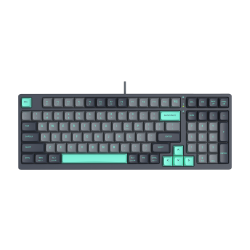
- Product Code: 2004711421000444
- Rank: 0
- Color:: Gray
- Backlight:: Yes
- Silent buttons:: Yes
- Connection type:: Wired
- BDS Cyrillicization:: No
- Mechanical buttons:: Yes
- Multimedia buttons:: Yes
- Interface:: USB
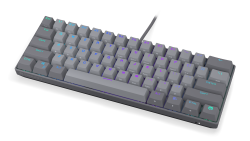
- Product Code: 2005903018668147
- Rank: 0
- Backlight:: Yes
- Interface:: USB
- Color:: Gray
- Type:: Gaming
- Mechanical buttons:: Yes
- Connection type:: Wired
- BDS Cyrillicization:: No
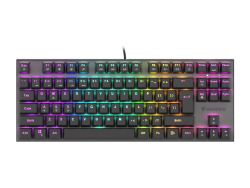
- Product Code: 2005901969432954
- Rank: 0
- BDS Cyrillicization:: No
- Connection type:: Wired
- Type:: Gaming
- Mechanical buttons:: Yes
- Silent buttons:: Yes
- Interface:: USB
- Color:: Black
- Backlight:: Yes
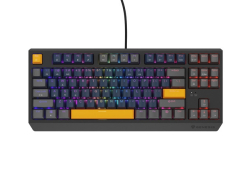
- Product Code: 2005901969444445
- Rank: 0
- Connection type:: Wireless
- BDS Cyrillicization:: No
- Backlight:: Yes
- Silent buttons:: Yes
- Interface:: USB
- Color:: Black
- Type:: Gaming
- Mechanical buttons:: Yes
- Multimedia buttons:: Yes
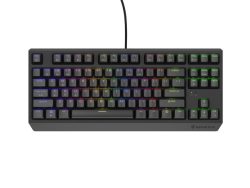
- Product Code: 2005901969443295
- Rank: 0
- Interface:: USB
- Color:: Black
- Type:: Gaming
- Mechanical buttons:: Yes
- Connection type:: Wired
- BDS Cyrillicization:: No
- Backlight:: Yes
- Silent buttons:: Yes
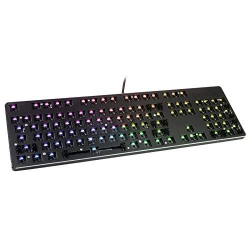
- Product Code: 2000857372006358
- Rank: 0
- Type:: Gaming
- Mechanical buttons:: Yes
- Interface:: USB
- Color:: Black
- Backlight:: Yes
- Multimedia buttons:: Yes
- Connection type:: Wired
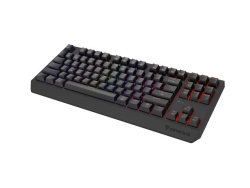
- Product Code: 2005901969443790
- Rank: 0
- Connection type:: Wireless
- BDS Cyrillicization:: No
- Backlight:: Yes
- Silent buttons:: Yes
- Interface:: USB
- Color:: Black
- Type:: Gaming
- Mechanical buttons:: Yes
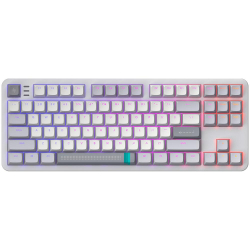
- Product Code: 2005292910036407
- Rank: 0
- Connection type:: Wired
- BDS Cyrillicization:: No
- Backlight:: Yes
- Interface:: USB
- Color:: White
- Type:: Gaming
- Mechanical buttons:: Yes
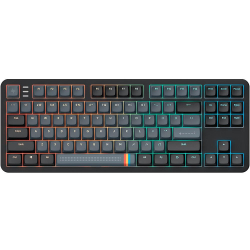
- Product Code: 2005292910036384
- Rank: 0
- Connection type:: Wired
- BDS Cyrillicization:: No
- Backlight:: Yes
- Interface:: USB
- Color:: Black
- Type:: Gaming
- Mechanical buttons:: Yes
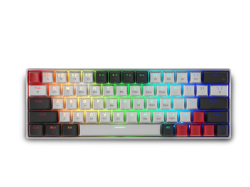
- Product Code: 2005207011011383
- Rank: 0
- BDS Cyrillicization:: No
- Backlight:: Yes
- Interface:: Bluetooth / USB
- Color:: Gray
- Type:: Gaming
- Mechanical buttons:: Yes
- Connection type:: Wireless
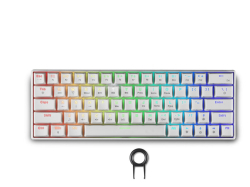
- Product Code: 2005207011011376
- Rank: 0
- Connection type:: Wireless
- BDS Cyrillicization:: No
- Backlight:: Yes
- Interface:: Bluetooth / USB
- Color:: White
- Type:: Gaming
- Mechanical buttons:: Yes
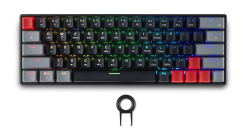
- Product Code: 2005207011011369
- Rank: 0
- Interface:: Bluetooth / USB
- Color:: Black
- Type:: Gaming
- Mechanical buttons:: Yes
- Connection type:: Wireless
- BDS Cyrillicization:: No
- Backlight:: Yes
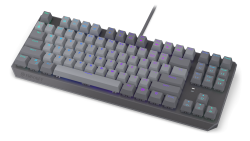
- Product Code: 2005903018667164
- Rank: 0
- Color:: Gray
- Type:: Gaming
- Mechanical buttons:: Yes
- Connection type:: Wired
- BDS Cyrillicization:: No
- Backlight:: Yes
- Interface:: USB
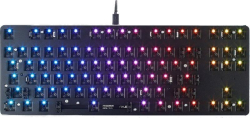
- Product Code: 2000857372006365
- Rank: 0
- Interface:: USB
- Color:: Black
- Backlight:: Yes
- Multimedia buttons:: Yes
- Connection type:: Wired
- Type:: Gaming
- Mechanical buttons:: Yes
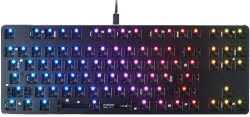
- Product Code: 2000857372006815
- Rank: 0
- Connection type:: Wired
- Type:: Gaming
- Mechanical buttons:: Yes
- Interface:: USB
- Color:: Black
- Backlight:: Yes
- Multimedia buttons:: Yes
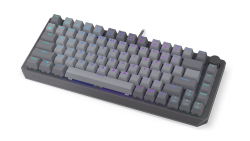
- Product Code: 2005903018668154
- Rank: 0
- Connection type:: Wired
- BDS Cyrillicization:: No
- Backlight:: Yes
- Interface:: USB
- Color:: Gray
- Type:: Gaming
- Mechanical buttons:: Yes
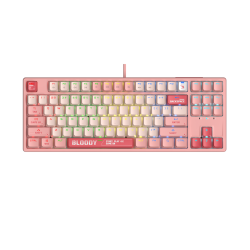
- Product Code: 2004711421993777
- Rank: 0
- Connection type:: Wired
- BDS Cyrillicization:: No
- Backlight:: Yes
- Silent buttons:: Yes
- Interface:: USB
- Color:: Pink
- Type:: Gaming
- Mechanical buttons:: Yes
- Multimedia buttons:: Yes
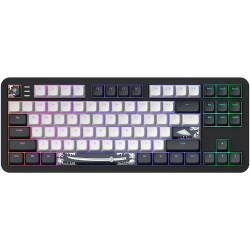
- Product Code: 2005292910036421
- Rank: 0
- Interface:: USB
- Color:: Black
- Type:: Gaming
- Mechanical buttons:: Yes
- Connection type:: Wired
- BDS Cyrillicization:: No
- Backlight:: Yes
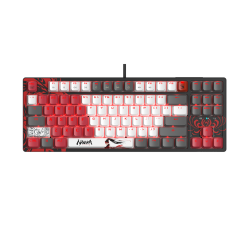
- Product Code: 2004711421001809
- Rank: 0
- Connection type:: Wired
- BDS Cyrillicization:: No
- Backlight:: Yes
- Multimedia buttons:: Yes
- Interface:: USB
- Color:: Black
- Type:: Gaming
- Mechanical buttons:: Yes
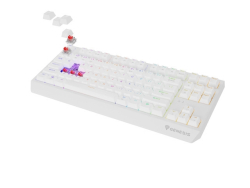
- Product Code: 2005901969444469
- Rank: 0
- Interface:: USB
- Color:: White
- Type:: Gaming
- Mechanical buttons:: Yes
- Connection type:: Wireless
- BDS Cyrillicization:: No
- Backlight:: Yes
- Silent buttons:: Yes
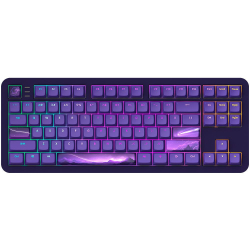
- Product Code: 2005292910036711
- Rank: 0
- Connection type:: Wired
- BDS Cyrillicization:: No
- Backlight:: Yes
- Silent buttons:: Yes
- Interface:: USB
- Color:: Purple
- Type:: Gaming
- Mechanical buttons:: Yes
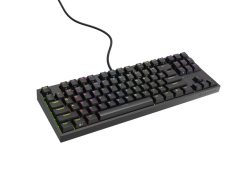
- Product Code: 2005901969443196
- Rank: 0
- Connection type:: Wired
- Type:: Gaming
- Interface:: USB
- Mechanical buttons:: Yes
- Color:: Black
- Backlight:: Yes
- BDS Cyrillicization:: No
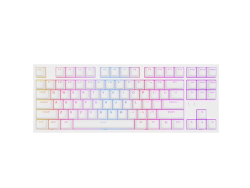
- Product Code: 2005901969443202
- Rank: 0
- Connection type:: Wired
- Type:: Gaming
- BDS Cyrillicization:: No
- Interface:: USB
- Color:: White
- Backlight:: Yes
- Mechanical buttons:: Yes
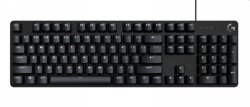
- Product Code: 2005099206097926
- Rank: 0
- Backlight:: Yes
- BDS Cyrillicization:: No
- Connection type:: Wired
- Type:: Gaming
- Mechanical buttons:: Yes
- Interface:: USB
- Color:: Black
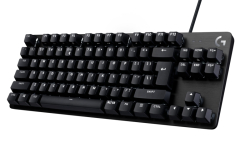
- Product Code: 2005099206097971
- Rank: 0
- Interface:: USB
- Color:: Black
- Backlight:: Yes
- BDS Cyrillicization:: No
- Connection type:: Wired
- Type:: Gaming
- Mechanical buttons:: Yes
Mechanical keyboards are an indispensable part of the modern workspace and gaming space. They combine precision, durability and a characteristic feel when pressing each key. Whether you are looking for a reliable solution for long hours of programming, writing and office work or want to upgrade your gaming configuration, the right model can noticeably improve the way you use your computer. At OK Office you will find a carefully selected selection of mechanical keyboards for different needs and budgets.
Why are mechanical keyboards a preferred choice?
The difference between a membrane and a mechanical keyboard is immediately felt. Each key in mechanical models has its own switch, which provides distinct tactile feedback, more accurate registration of the press and a significantly longer life. While standard keyboards can last for a few million keystrokes, mechanical keyboards can last for tens of millions, making them a wise long-term investment.
Professionals value mechanical keyboards for their comfort and typing speed. Programmers, copywriters, accountants, and text-intensive workers often report less wrist fatigue and increased productivity. Gamers rely on the keyboard's fast response and ability to handle multiple keystrokes (N-key rollover) - a key advantage in fast-paced games. For creative professions, additional features such as RGB backlighting and programmable macros add convenience and visual comfort when working in a dark environment.
How to choose the right mechanical keyboard?
The right choice depends on several main factors: switch type, size and additional features.
Switch types
Different switches offer different feel and sound:
- Clicky (e.g. Cherry MX Blue and similar). Provide a clear tactile feel and a characteristic clicking sound when activated. They are suitable for people who write a lot and want clear feedback with each press. They are often preferred by writers and office users working in separate spaces.
- Linear (e.g. Cherry MX Red / Speed and similar). The stroke is smooth, without a noticeable "step" in the middle. Registration is fast, and the effort is minimal. This makes them a favorite choice for gamers and anyone who cares about maximum speed and quieter action.
- Tactile (for example, Cherry MX Brown and similar). They combine a light tactile feel without loud noise. A universal option, suitable for both office and gaming. A balanced solution if you are looking for comfort and do not want a keyboard that is too noisy.
Dimensions and form factors
Mechanical keyboards are available in different configurations:
- Full-size (100%) - with a numeric keypad, function keys and all standard buttons. Suitable for working with numbers, office tasks and professional use;
- TKL (Tenkeyless, 80%) - without a numeric keypad, but with all the main keys. Saves desk space and provides more space for the mouse;
- Compact (60% and smaller) - removes extra rows and sections, focusing on the main keys. An excellent choice for minimalist configurations and frequent transportation between home and office.
Advantages of shopping online from OK Office
Purchasing a mechanical keyboard from the OK Office online store offers many conveniences. You can safely compare models, specifications and prices, without time limits. The filters in the catalog help you quickly narrow down your choices by switch type, backlight, connectivity (wired or wireless), size, and other features.
You'll find both budget and affordable options for the first mechanical model, as well as premium keyboards with aluminum chassis, hot-swappable switches, and advanced customization options. Detailed descriptions include key information about the key material (ABS or PBT), available multimedia buttons, tilt angle, and cable type. So you know in advance what you're getting, and delivery to an address or courier office makes the whole process fast and convenient.
Additional features worth paying attention to
Modern mechanical keyboards offer a number of practical extras:
- RGB or single-color backlight - for better visibility in dark rooms and a personalized look.
- Programmable macros - allow you to perform a series of actions with a single key, useful for games, assembly, office automation, etc.
- Replaceable keycaps - allow refreshing the appearance and using different language layouts.
- Stable housings and replaceable cables - aluminum or reinforced construction and USB-C cable for longer life and portability.
Maintenance
Investing in a quality mechanical keyboard pays off over time. These models are designed to withstand years of intensive use. Cleaning is easy – dust between the keys can be removed with air or a brush, and removable keycaps make maintenance and replacement easier when needed.
Wide compatibility with popular operating systems (Windows, macOS, Linux) and plug-and-play connectivity mean you can use the keyboard on different devices without complicated settings.
Discover your mechanical keyboard at OK Office
In the OK Office catalog you will find mechanical keyboards for every style and budget, from inexpensive solutions for beginners to high-end models for demanding gamers and professionals. Browse specs, compare prices, and choose a keyboard that will make your daily work and play more enjoyable, faster, and more precise.
FAQ for Keyboards
What are the different types of keyboards for computers and laptops?
There are several types of keyboards, including mechanical, membrane, and wireless. Mechanical keyboards offer tactile feedback and are preferred by gamers, while membrane keyboards are quieter and often more affordable. Wireless keyboards provide flexibility and convenience when working from a distance.
How do I clean my keyboard properly?
To clean your keyboard, turn it off and use a gentle stream of air to remove dust from between the keys. Use a soft cloth lightly dampened with isopropyl alcohol to wipe the surface. Avoid using liquids directly on the keyboard.
What features should a gaming keyboard have?
Gaming keyboards typically feature mechanical switches for fast response, RGB backlighting for customization, and additional programmable keys for macros. Durability and ergonomic design are also key factors for long gaming sessions.
What should I do if my keyboard is not working?
If your keyboard is not working, first check if it is properly connected or if the batteries are charged if it is wireless. Restart your computer and check the drivers. If the problem persists, consult technical support.
Does it make sense to invest in an ergonomic keyboard?
Ergonomic keyboards are designed to reduce stress on the wrists and prevent strain from building up. They are an excellent choice for people who work long hours on a computer and can help prevent problems like carpal tunnel.