


- Promotions
RAZER Computer mice
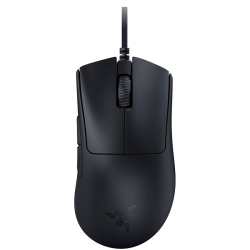
- Product Code: 2008886419334071
- Rank: 0
- Connection type:: Wired
- Interface:: USB
- Color:: Black
- Resolution:: Over 10000 dpi
- Type:: Gaming
- Buttons:: 6
- Sensor Type:: Optical
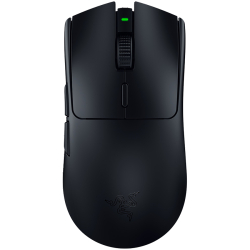
- Product Code: 2008886419334248
- Rank: 0
- Sensor Type:: Optical
- Connection type:: Wireless
- Interface:: USB
- Color:: Black
- Resolution:: Over 10000 dpi
- Type:: Gaming
- Buttons:: 6
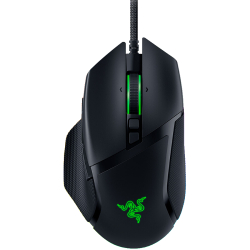
- Product Code: 2008886419333487
- Rank: 0
- Type:: Gaming
- Buttons:: 11
- Sensor Type:: Optical
- Connection type:: Wired
- Interface:: USB
- Color:: Black
- Resolution:: Over 10000 dpi
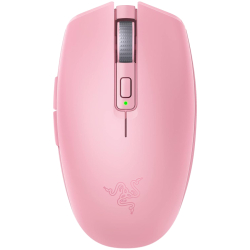
- Product Code: 2008886419334200
- Rank: 0
- Type:: Gaming
- Resolution:: Over 10000 dpi
- Color:: Pink
- Sensor Type:: Optical
- Interface:: USB
- Buttons:: 6
- Connection type:: Wireless
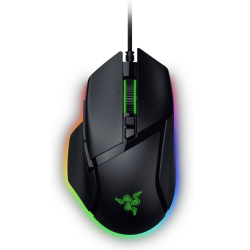
- Product Code: 2008886419334576
- Rank: 0
- Type:: Gaming
- Resolution:: Over 10000 dpi
- Color:: Black
- Sensor Type:: Optical
- Interface:: USB
- Buttons:: 11
- Connection type:: Wired
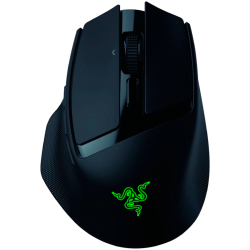
- Product Code: 2008886419333975
- Rank: 0
- Type:: Gaming
- Resolution:: Over 10000 dpi
- Color:: Black
- Sensor Type:: Optical
- Interface:: Bluetooth / USB
- Buttons:: 10
- Connection type:: Wireless
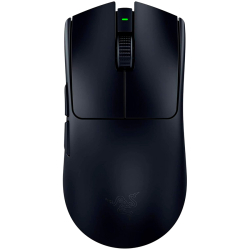
- Product Code: 2008886419334347
- Rank: 0
- Type:: Gaming
- Resolution:: Over 10000 dpi
- Color:: Black
- Sensor Type:: Optical
- Interface:: USB Тype-C
- Buttons:: 6
- Connection type::
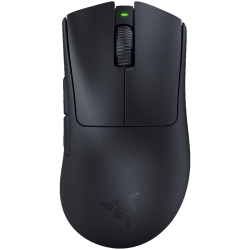
- Product Code: 2008886419334057
- Rank: 0
- Resolution:: Over 10000 dpi
- Type:: Gaming
- Buttons:: 6
- Sensor Type:: Optical
- Connection type:: Wireless
- Interface:: Bluetooth / USB
- Color:: Black
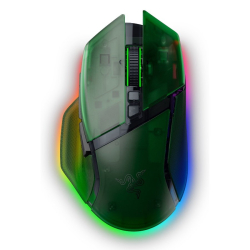
- Product Code: 2008886419334804
- Rank: 0
- Type:: Gaming
- Resolution:: 4001 - 9999 dpi
- Color:: Green
- Sensor Type:: Optical
- Interface:: Bluetooth / USB
- Buttons:: 11
- Connection type:: Wireless
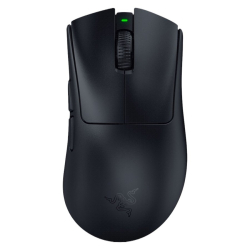
- Product Code: 2008886419334743
- Rank: 0
- Interface:: Bluetooth / USB Type-C
- Buttons:: 6
- Connection type:: Wireless
- Type:: Gaming
- Resolution:: Over 10000 dpi
- Color:: Black
- Sensor Type:: Optical
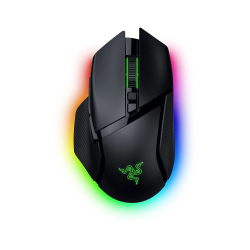
- Product Code: 2008886419334606
- Rank: 0
- Type:: Gaming
- Resolution:: 4001 - 9999 dpi
- Color:: Black
- Sensor Type:: Optical
- Interface:: Bluetooth / USB
- Buttons:: 11
- Connection type:: Wireless
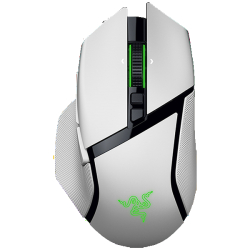
- Product Code: 2008886419334644
- Rank: 0
- Color:: White
- Sensor Type:: Optical
- Interface:: Bluetooth / USB
- Buttons:: 11
- Connection type:: Wireless
- Type:: Gaming
- Resolution:: 4001 - 9999 dpi
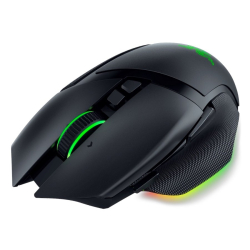
- Product Code: 2008886419334026
- Rank: 0
- Connection type:: Wireless
- Interface:: Bluetooth / USB
- Color:: Black
- Resolution:: Over 10000 dpi
- Type:: Gaming
- Buttons:: 11
- Sensor Type:: Optical
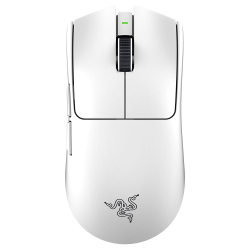
- Product Code: 2008886419334521
- Rank: 0
- Sensor Type:: Optical
- Interface:: USB
- Buttons:: 6
- Connection type:: Wireless
- Type:: Gaming
- Resolution:: Over 10000 dpi
- Color:: White
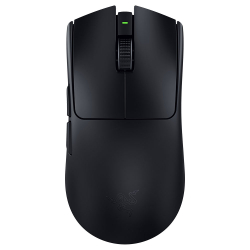
- Product Code: 2008886419334491
- Rank: 0
- Color:: Black
- Sensor Type:: Optical
- Interface:: USB
- Buttons:: 6
- Connection type:: Wireless
- Type:: Gaming
- Resolution:: Over 10000 dpi
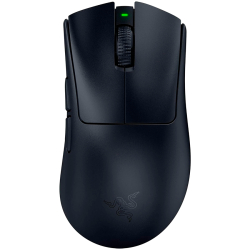
- Product Code: 2008887910085134
- Rank: 0
- Type:: Gaming
- Resolution:: Over 10000 dpi
- Color:: Black
- Sensor Type:: Optical
- Interface:: USB Тype-C
- Buttons:: 6
- Connection type::
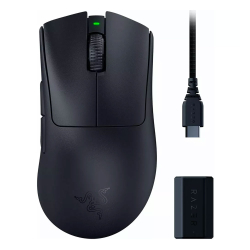
- Product Code: 2008886419334286
- Rank: 0
- Type:: Gaming
- Resolution:: Over 10000 dpi
- Color:: Black
- Sensor Type:: Optical
- Interface:: Bluetooth
- Buttons:: 6
- Connection type:: Wireless
Razer mice for PCs and laptops offer exceptional quality and performance that meet the needs of both professional gamers and casual users.
Razer mice: The ideal partner for gaming and professional tasks
With their impressive specifications and design, they are the perfect choice for anyone looking for reliability and precision. Here are the specifics of the offers in our online store:
- Resolution. With us you will find a variety of models with different resolutions. Razer offers a wide selection of gaming mice ranging from 4001 dpi to over 10000 dpi. This range of resolutions allows for precise and smooth control, regardless of the task at hand. For gamers, high resolution means faster response and greater accuracy in games.
- Buttons and sensors. You can choose between Razer models with a different number of buttons - from 5 to 20. This variety allows for customization and facilitates different tasks, whether in gaming or in professional work. The mice are equipped with optical sensors that guarantee reliability and a long life of the device.
- Interfaces.The variety of connectivity interfaces on Razer mice provides multiple connectivity options, including wireless, with a choice of Bluetooth, Bluetooth + 2.4Ghz, Bluetooth / USB, and USB. These options allow for flexibility and ease of use while maintaining a stable connection and fast response.
With their wide range of models and functions, they meet all requirements, no matter what computing purposes they will be used for.
The advantages of Razer mice
Razer mice feature an ergonomic design that provides maximum comfort during prolonged use. Whether you work in an office or play for hours, they prevent hand and wrist strain.
Also, a wide selection of colors, including white, pink, gray and black, allows users to choose a model that best suits their style and preferences.
The manufacturer is also known for its attention to detail and quality of workmanship. Razer mice are built to last a long time, even with heavy use.
Why choose OK Office?
Choosing from OK Office, you get a high-quality product that will serve you faithfully and for a long time.
We offer affordable Razer mice that fit every budget. From cheap to high-end models, we have everything you're looking for.In addition, you can enjoy easy and fast online shopping, with the possibility of fast delivery and convenient payment methods. Our team is ready to help you with any questions and advise you on the best choice.
Take advantage of our offers and find the perfect mouse that will improve your daily life and work tasks. Buy now and enjoy a unique Razer experience.
FAQ for Computer mice
What should I do if my mouse is not working properly?
If your mouse is not working properly, first check that it is properly connected to the device and that the batteries, if any, are charged. Make sure that the drivers are up to date. If the problem persists, try the mouse on another computer to make sure it is not a hardware issue. Otherwise, contact our support team for further assistance.
Can a mouse cause strain or pain in the hand?
Yes, an improperly selected or used mouse can lead to strain or pain in your hand, wrist, or shoulder. To prevent this, choose an ergonomic mouse that fits your hand well and make sure your work environment is properly set up. If you feel discomfort, take regular breaks and do stretching exercises.
Is it worth investing in a mouse with extra buttons?
Investing in a mouse with extra buttons can be very useful if you perform specific tasks, such as gaming or working with graphics programs. The extra buttons can speed up your work by allowing you to customize functions and commands. If you don't use such features, a regular mouse may be perfectly adequate.